
Google Nest Wifi Pro
4.0Editor score
Wi-Fi 6E tri-band networking
Up to 6,600 square feet
Automatic network optimization
Compare the best router for Google Fiber, including mesh, Wi-Fi 6, Wi-Fi 7, coverage, ports, features, and setup ease.
Choosing a router for Google Fiber involves balancing wireless speed, whole-home coverage, device capacity, and compatibility with a fiber gateway. A capable router can unlock faster local connections, reduce dead zones, and give busy households more control over how their network handles streaming, gaming, video calls, and smart devices.
This guide compares ten Google and third-party routers using the supplied specifications, customer ratings, coverage claims, wireless standards, port configurations, management features, and intended use cases. It includes compact mesh systems, standalone Wi-Fi 6 routers, gaming-focused hardware, and premium Wi-Fi 7 models.
Each review explains the strongest reasons to consider a model, along with its practical trade-offs. The top selections favor straightforward setup, capable coverage, useful performance features, and strong fit for Google Fiber connections, while prices and retailer availability can change over time.
4.0Editor score

4.5Editor score
4.5Editor score
The table below compares all ten routers by wireless generation, coverage approach, notable hardware, and management features, making it easier to identify the right fit for a Google Fiber home.





The Google Wifi AC1200 3-Pack is a budget-oriented mesh system for larger homes that want Google-style setup without paying for a premium Wi-Fi 6E or Wi-Fi 7 platform. Its 4.2 rating reflects a generally positive reception, and the three included access points are the main reason to choose it over a single-point configuration. The stated coverage extends to as much as 4,500 square feet, making it a practical fit for medium and large homes with several floors, thick walls, or areas where a lone router tends to lose signal.
We may earn a commission when you buy through this link, at no additional cost to you.
The bundle includes three Google Wifi routers that work together as a mesh network. The product information emphasizes stable wireless performance for streaming, gaming, browsing, and smart-home devices. Setup and management happen through the Google Home app, which lets users see connected devices, create a guest network, enable parental controls, and make other network adjustments from a smartphone. Its intelligence works in the background to keep Wi-Fi performance stable, reducing the need for constant manual tuning.
The principal limitation is the AC1200 Wi-Fi 5 platform. It may not take full advantage of a very fast Google Fiber plan, especially for newer Wi-Fi 6 or Wi-Fi 6E devices, and it lacks the specialized gaming controls, VPN functionality, and multi-gig Ethernet options found on some competing routers. That said, the mesh arrangement and Google Home integration provide a more useful foundation for a large home than a similarly priced single conventional router.
This is an excellent choice for buyers who value broad coverage, simple management, and familiar Google integration more than the newest wireless standard. It is particularly suitable for apartments, suburban homes, and larger residences where dead zones are the main complaint. For users with current Wi-Fi 6 hardware, an internet plan that heavily depends on local wireless throughput, or a need for multi-gig wired connections, one of the newer standalone routers may be a better long-term investment.
Because all three units work together, the system can distribute wireless coverage throughout a home without requiring users to manage separate router names or manually connect to distant access points. That makes it especially effective when rooms, floors, or building materials interrupt the signal from a single unit.
The Google Home app places parental controls, guest access, and connected-device management in an approachable interface. This convenience is a major reason to consider the bundle over a more technical standalone router, particularly for households that already use other Google services.
We may earn a commission when you buy through this link, at no additional cost to you.
The GL.iNet GL-MT6000 Flint 2 is a feature-rich Wi-Fi 6 router suited to Google Fiber subscribers who want more control, faster local networking, and gaming-oriented features. It carries a 4.5 rating, placing it among the strongest options in this comparison. Its headline capabilities include speeds up to 6 Gbps, eight-stream Wi-Fi 6 networking, 1GB of DDR4 memory, and two 2.5 Gbps Ethernet ports. Those specifications make it more appropriate for newer devices and ambitious home networks than a basic mesh system.
We may earn a commission when you buy through this link, at no additional cost to you.
Gaming performance is central to the product's positioning. The specification lists smooth 4K streaming, video calls, and multiplayer gaming as target uses, while the router's overall capacity is designed to remain stable under demanding traffic. Its VPN support is another differentiator: WireGuard and OpenVPN speeds are listed at up to 900 Mbps and 880 Mbps, respectively, although actual results depend on the internet provider, network conditions, server location, and VPN provider.
GL.iNet also supports AdGuard Home, which gives users a convenient web interface for filtering selected advertisements and unwanted tracking at the DNS level. The hardware includes 1GB DDR4 and 8GB eMMC storage and is described as supporting more than one hundred connected devices. Buyers should update the firmware during initial setup, as the manufacturer says this improves performance and the overall experience. Some users may also prefer connecting by Ethernet and using the web administration panel over relying entirely on wireless onboarding.
The Flint 2 is ideal for gamers, tech-oriented households, and anyone who wants advanced network functions without moving to a premium Wi-Fi 7 model. It is less convenient for someone who only needs basic whole-home coverage and wants a highly automated Google interface. Nevertheless, its combination of Wi-Fi 6, multi-gig wired connectivity, VPN support, and a 4.5 rating makes it our most versatile feature-oriented recommendation.
The two 2.5 Gbps ports provide meaningful headroom for compatible local networks, high-speed storage, and modern computing devices. They also help households take advantage of faster Google Fiber service without forcing all connected devices through a single limited Ethernet interface.
The combination of gaming-focused positioning, WireGuard, OpenVPN, and AdGuard Home gives this router a distinct advantage over basic mesh points. It is better suited to users who understand the value of network-level privacy and traffic controls.
We may earn a commission when you buy through this link, at no additional cost to you.
The TP-Link Archer AX21 V5 is a conventional dual-band Wi-Fi 6 router that offers a balanced mix of modern wireless technology, broad compatibility, and straightforward management. Its 4.4 rating indicates a strong customer reception, and its AX1800 class provides up to 1.8 Gbps of theoretical combined bandwidth, including up to 1,200 Mbps on 5 GHz and 574 Mbps on 2.4 GHz. It is a sensible standalone option for a Google Fiber home that does not need multiple mesh units.
We may earn a commission when you buy through this link, at no additional cost to you.
Its main technical strengths are OFDMA, beamforming, four high-gain antennas, and an advanced front-end module. OFDMA allows the router to communicate with multiple devices more simultaneously, which can improve efficiency in a crowded household. Beamforming focuses signal toward connected clients, while the antenna and front-end design are intended to strengthen coverage at a distance. Real performance will still depend on the home's layout, distance, interference, and the capabilities of client devices.
The Archer AX21 supports OpenVPN and PPTP server functions, works with a wide range of internet providers, and can be managed through TP-Link's Tether app. TP-Link also highlights a commitment to cybersecurity through its participation in the CISA Secure-by-Design pledge. This is a dual-band router, however, so it cannot use the 6 GHz band. It also requires a separate modem, and its single-router design may be less effective in a large, multi-story home with difficult-to-reach rooms.
This router is best for cost-conscious buyers who want to move beyond older Wi-Fi 5 equipment without moving to a premium multi-gig platform. Apartment residents, couples, and small families may find it especially easy to manage. For larger homes, buyers should plan on additional mesh units or consider one of the dedicated multi-point systems in this guide, while users seeking a 10G connection can look to the Archer BE600.
Wi-Fi 6 and OFDMA help the Archer AX21 serve multiple connected clients more efficiently than older dual-band routers. This is particularly useful in homes where phones, televisions, computers, and smart-home products are active at the same time.
Broad ISP compatibility and Tether app management make this a practical choice for people who want a recognizable standalone router rather than a coordinated mesh ecosystem. The router works with the Google Fiber gateway when connected correctly by Ethernet.
We may earn a commission when you buy through this link, at no additional cost to you.
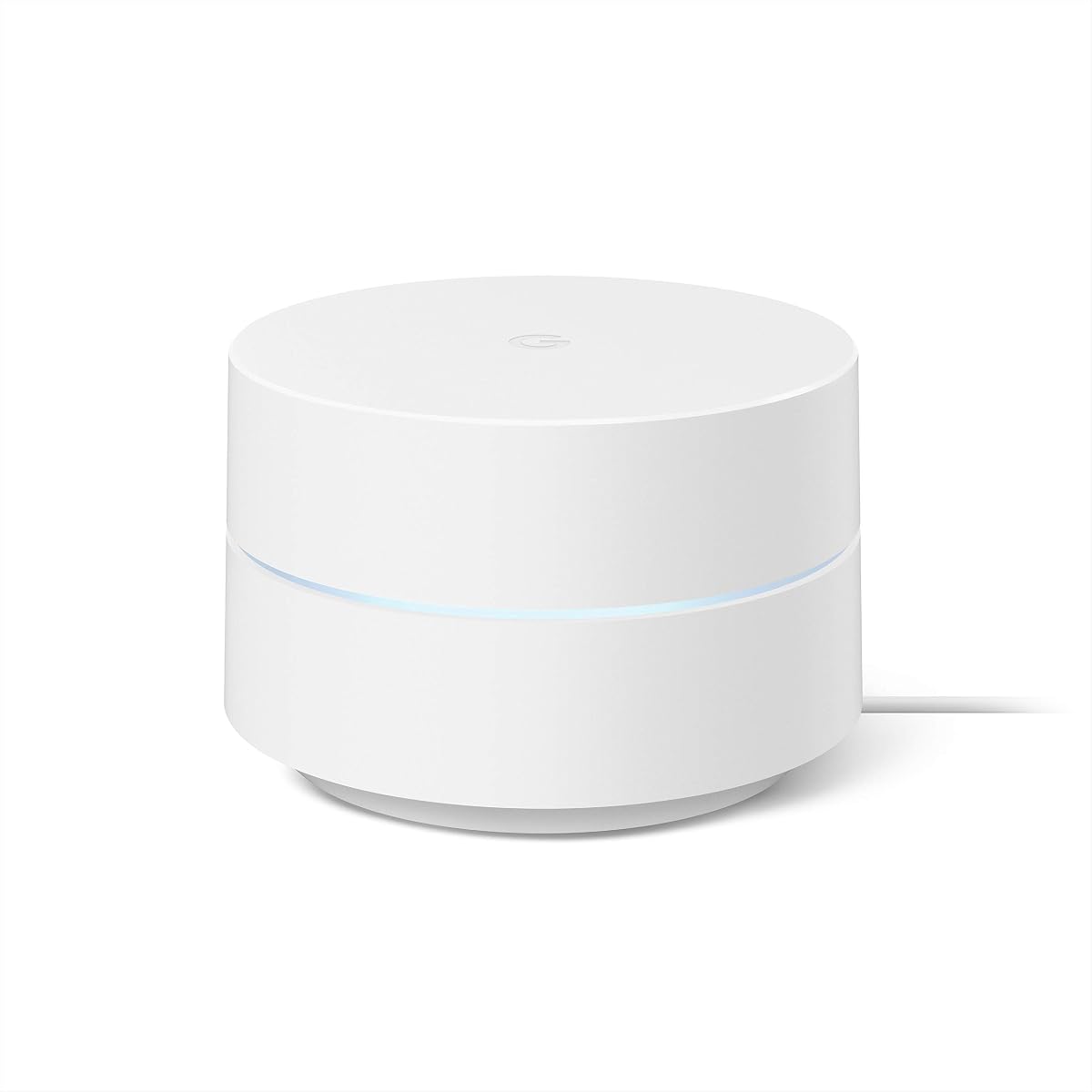
The Google Nest Wifi Pro 3-Pack is the premium Google-designed option in this guide, offering Wi-Fi 6E, a three-router mesh arrangement, and coverage of up to 6,600 square feet. Its 4.0 rating is solid, though not the highest in the comparison. The system is designed for users who want Google's simple management experience combined with a current wireless standard and broad whole-home coverage.
We may earn a commission when you buy through this link, at no additional cost to you.
Nest Wifi Pro supports three bands: 2.4 GHz, 5 GHz, and 6 GHz. The product is described as up to twice as fast as Wi-Fi 6, with automatic adjustment of network performance and activity. It prioritizes video calls, helps websites load quickly, and uses built-in technology to maintain a stronger signal near the edge of coverage. The system can also monitor itself, diagnose network issues, and resolve some common problems without direct user intervention.
This is a current platform rather than an incremental refresh. The supplied specifications explicitly state that it is not compatible with previous generations of Google Wifi or Nest Wifi. Buyers who already own those older systems should therefore plan a full replacement. Secure boot and software updates help guard against unauthorized software and router hacks, while the app can show connected devices, pause unknown devices, and create a separate guest network.
Nest Wifi Pro is a strong premium match for a large Google Fiber home with compatible Wi-Fi 6E devices and a preference for automatic management. It is less compelling if you need multi-gig Ethernet, advanced VPN services, or compatibility with an existing Google Wifi system. Despite those limitations, the three-point coverage and modern tri-band design make it one of the most complete mesh options for the right household.
The dedicated 6 GHz band allows compatible devices to use additional wireless capacity, while three coordinated points can cover a large residence. This makes the bundle a strong fit for homes with several stories, active smart-home ecosystems, and many simultaneous high-bandwidth devices.
Automatic optimization, issue diagnosis, and self-repair features can reduce the day-to-day maintenance normally associated with a router. These functions are especially helpful for users who prefer a hands-off approach to network management.
We may earn a commission when you buy through this link, at no additional cost to you.
The Google Nest Wifi AC2200 is a single-point mesh router that offers up to 2,200 square feet of stated coverage. Its 4.4 rating makes it one of the better-reviewed products here, and its balance of coverage and simplicity makes it an attractive option for medium homes. It can serve as the primary router and can be expanded with additional compatible mesh points when stronger coverage is required.
We may earn a commission when you buy through this link, at no additional cost to you.
Compared with the AC1200 Google Wifi point, the AC2200 carries a higher wireless class and provides a larger stated coverage area. That makes it a sensible middle ground for buyers who do not need a complete three-pack but want more room than a basic 1,500-square-foot point. The supplied product information is concise, so detailed claims about features beyond the coverage specification should be confirmed in the listing and Google Home app before purchase.
Its main advantage is convenience. A user can replace a conventional Google Fiber router with a mesh-oriented system, use one unit in a smaller residence, or add points later to improve upstairs, basement, or rear-room reception. The design avoids the complexity of manually selecting channels, coordinating bands, or maintaining separate access points. As with the other Google systems, management takes place through the Google Home app.
The compromise is that AC2200 is still a Wi-Fi 5 product. It may struggle to exploit the full potential of very high Google Fiber speeds on compatible newer clients, and its single included point may not be enough for a large or complex home. It is best for buyers seeking a straightforward middle-sized mesh solution, while high-speed or Wi-Fi 6E users should consider a newer platform.
Starting with one AC2200 gives smaller homes a capable central point while preserving a path to add more units later. This makes the product adaptable as coverage needs change, although buyers should verify compatibility before mixing generations.
The unit's stated coverage of up to 2,200 square feet gives it a useful middle position in the Google mesh range. It is a practical fit for apartments, townhouses, and modest single-family homes where one well-placed point is sufficient.
We may earn a commission when you buy through this link, at no additional cost to you.
The TP-Link Archer BE600 is a tri-band Wi-Fi 7 router built for homes that want advanced wireless features and high-speed wired connectivity. Its 4.2 rating indicates a positive reception, while the stated 5,765 Mbps on the 6 GHz band and 2,882 Mbps on the 5 GHz band distinguish it from conventional Wi-Fi 6 equipment. It is a strong technical option for a Google Fiber subscriber with compatible modern devices.
We may earn a commission when you buy through this link, at no additional cost to you.
The router supports Multi-Link Operation, Multi-RUs, 4K-QAM, and channels up to 320 MHz. It is positioned for demanding activities such as 4K and 8K streaming, AR and VR gaming, and rapid downloads. Six antennas and beamforming are intended to strengthen signals in difficult-to-cover areas. Coverage is stated at up to 2,600 square feet for as many as 120 devices, making it appropriate for active, device-heavy households.
Its Ethernet configuration is particularly notable for a fiber connection. There is one 10 Gbps WAN/LAN port, one 2.5 Gbps WAN/LAN port, and three 2.5 Gbps LAN ports. A compatible multi-gig fiber modem can therefore take advantage of a fast wired connection, while local devices can benefit from multi-gig links. Tether app or web interface management, HomeShield tools, and VPN client support add practical control.
The Archer BE600 is best for users who own or plan to buy Wi-Fi 7 devices and need the network infrastructure to keep pace. The trade-off is that older clients cannot realize the full benefit of the newest standard, and a standalone router may not cover every corner of a very large or multi-story home. Buyers should also avoid paying a premium solely for theoretical speed if their devices and everyday use remain within Wi-Fi 6 limits.
The 10 Gbps and 2.5 Gbps ports give the router meaningful wired headroom for fast fiber service, network storage, and compatible computing hardware. This makes it more future-conscious than routers limited to gigabit Ethernet.
Multi-Link Operation and the other listed Wi-Fi 7 technologies can improve responsiveness and capacity across compatible devices. The advantage is strongest in a home with recent phones, laptops, televisions, and gaming hardware.
We may earn a commission when you buy through this link, at no additional cost to you.
The Google Wifi NLS-1304-25 is a straightforward one-point system with the highest customer rating in this comparison at 4.6. It replaces a conventional router with a mesh-capable design intended to eliminate dead zones and buffering. A single point is stated to cover up to 1,500 square feet, while a set of three can cover up to 4,500 square feet, making this a familiar Google networking platform for smaller homes or as a starter point in a larger system.
We may earn a commission when you buy through this link, at no additional cost to you.
Its Network Assist technology automatically selects the clearest channel and fastest band for connected devices. The stated Wi-Fi throughput is 1200 MPBS, and connectivity uses 2×2 802.11ac Wave 2 with Bluetooth Low Energy. The associated app makes it easy to see connected devices, prioritize traffic, and pause Wi-Fi access for children. A three-pack can be purchased as a coordinated mesh system, and more points can be added when additional coverage is needed.
This product is best understood as an approachable, dependable starting point rather than a high-end performance machine. It uses Wi-Fi 5, so newer Wi-Fi 6, Wi-Fi 6E, and Wi-Fi 7 equipment can connect but may not benefit from the router's full theoretical potential. The single included point also places a natural limit on large-home coverage unless additional units are installed.
For a small apartment, compact home, or budget-conscious buyer who wants a simple Google Wi-Fi experience, this is a compelling option. Its strong rating and clear management tools reduce the learning curve. Users with a larger residence should consider a multi-pack, while households seeking newer wireless standards or multi-gig Ethernet should move to a more advanced model.
Network Assist continuously chooses a clear channel and suitable band for connected devices. This hands-off approach is useful for households that want reliable coverage without learning advanced router settings.
One point can serve a smaller home, while compatible units can be added to extend coverage. That makes the platform flexible without requiring a complex multi-router architecture from the beginning.
We may earn a commission when you buy through this link, at no additional cost to you.
The NETGEAR Nighthawk RS700S is a high-end standalone Wi-Fi 7 router aimed at demanding households, multi-gig fiber connections, and dense device environments. It has a 4.4 rating and is described as delivering up to 19 Gbps across the 2.4, 5, and 6 GHz bands. This aggregate figure is a platform capability rather than a guarantee of real-world throughput, which ultimately depends on the Google Fiber plan, client devices, interference, and home layout.
We may earn a commission when you buy through this link, at no additional cost to you.
The router uses a 12-stream design and is stated to cover up to 3,500 square feet for as many as 200 devices. MU-MIMO and OFDMA help it serve multiple clients simultaneously. A 10 Gbps WAN port makes it suitable for premium fiber plans, while a 10 Gbps LAN port and four 1 Gbps LAN ports can serve gaming computers, network storage, and smart televisions with robust wired connections.
The Nighthawk app supports guided setup, speed tests, device pausing, and guest networks. The router works with existing cable, fiber, DSL, and satellite services through an Ethernet connection, although some gateway or combined modem-router setups may need bridge mode. Security features are enabled out of the box, automatic firmware updates are included, and Advanced Router Protection is described as exclusive. NETGEAR Armor requires a separate subscription after its trial period.
The RS700S is an excellent fit for a busy single-router home with current Wi-Fi 7 devices and a fast fiber plan. Its trade-offs are the complexity of a premium feature set, the need for compatible clients, and the possibility that very large or multi-story homes would benefit from an Orbi mesh system instead. For users who prioritize raw platform capability and a 10G fiber connection, it remains one of the strongest choices here.
The 10 Gbps WAN and LAN ports offer the headroom to connect a multi-gig fiber modem and high-bandwidth local devices. Those ports can also reduce network congestion by moving large transfers to wired connections.
The stated support for up to 200 devices, combined with MU-MIMO and OFDMA, makes this a convincing option for homes full of phones, computers, televisions, appliances, and cameras. Actual capacity will vary with device behavior and network conditions.
We may earn a commission when you buy through this link, at no additional cost to you.
The Nest Wifi Router and 2 Points combines a primary router with two mesh points, producing a three-device system with coverage of up to 5,400 square feet. Its 4.2 rating reflects a generally positive response, and the bundle is distinctive because each Nest Wifi point also functions as a smart speaker with Google Assistant. That makes it more than a networking package for households that value voice assistance alongside whole-home coverage.
We may earn a commission when you buy through this link, at no additional cost to you.
The primary router connects to the internet provider's modem and creates the Wi-Fi network, while the two points extend it. Each router and point is listed as capable of handling up to 100 connected devices and supporting simultaneous 4K video streams. Two Ethernet ports are included on each device, which is helpful for connecting a television, game console, or desktop by wire. A 15W power adapter is included with the system.
The points can play music, answer questions, manage connected devices, and help control the Wi-Fi network using voice commands. An internet connection is required for Google Assistant features. Nest Wifi also receives automatic updates intended to add features and maintain network security. The app supports guest network creation, easy password sharing, device prioritization, and parental controls.
This bundle is a good choice for an established Google Assistant household that wants speakers and mesh networking in one coordinated system. Its trade-off is its older Wi-Fi 5 standard, which may not provide the best possible performance for recent Wi-Fi 6E or Wi-Fi 7 clients. It is also less suitable for buyers who do not need or want built-in smart speakers. For those who do, the convenience of voice-assisted network and smart-home control is a meaningful benefit.
Each point combines a mesh extender with a Google Assistant speaker, reducing the need for separate smart-home hardware in rooms that need better Wi-Fi. The primary router and points remain a coordinated network under app management.
Two Ethernet ports on each unit allow selected devices to use stable wired connections while the mesh system handles wireless coverage. This is useful for entertainment equipment or home-office devices in otherwise difficult-to-reach rooms.
We may earn a commission when you buy through this link, at no additional cost to you.
The second appearance of the GL.iNet GL-MT6000 Flint 2 highlights its role as the best option for buyers who prioritize VPN functionality, traffic filtering, and a higher degree of network control. It holds a 4.5 rating and is equipped with Wi-Fi 6 networking, eight-stream wireless performance, 1GB of DDR4 memory, and 8GB of eMMC storage. The specification also notes support for more than one hundred connected devices.
We may earn a commission when you buy through this link, at no additional cost to you.
WireGuard and OpenVPN are the router's most distinctive network tools. Listed maximum VPN speeds reach 900 Mbps for WireGuard and 880 Mbps for OpenVPN, although real performance depends on the fiber connection, server distance, VPN provider, and local conditions. For people who routinely work from home, travel, or operate network services, the ability to route supported traffic through a VPN without installing software on every device is highly useful.
AdGuard Home support adds DNS-level blocking of unwanted tracking and selected advertisements through a web interface. The router also targets stable performance for 4K streaming, gaming, and video calls. Initial setup involves following the available setup tutorial or connecting a computer by Ethernet to access the web administration panel, and the manufacturer strongly recommends updating firmware immediately after setup.
This is a strong recommendation for a technically confident Google Fiber customer who wants more control than Google WiFi provides. It suits a home with modern Wi-Fi 6 devices, a need for multi-gig wired connections, and an interest in privacy-oriented DNS or VPN services. Buyers seeking effortless automated mesh management should choose a Google system instead, while those focused on the newest standard and even faster ports may prefer a Wi-Fi 7 alternative.
Supporting VPN connections at the router level can protect selected traffic without requiring separate VPN applications on every laptop, phone, or television. The high stated throughput makes this particularly relevant to fast fiber connections.
AdGuard Home gives users a centralized way to filter selected advertising and tracking domains. The approach is straightforward for users familiar with DNS controls and can complement a broader personal privacy strategy.
We may earn a commission when you buy through this link, at no additional cost to you.
The right router depends on home size, wireless clients, desired control, and the speed of the Google Fiber connection. These factors help narrow the field before making a purchase.
Coverage claims should be treated as guidance rather than a guarantee because walls, floors, appliances, neighboring networks, and router placement all affect range. A compact residence may be served adequately by one point, while a large or multi-story home often benefits from a coordinated three-pack or a mesh system. Compare the stated square-foot coverage with the area that actually needs service, including upstairs bedrooms, basements, garages, and outdoor-adjacent rooms.
Choose enough access points to eliminate weak zones without overcrowding the home. Placement and wired backhaul can be as important as the nominal coverage number.
A Google Fiber router generally connects to the service through an Ethernet connection from the fiber network equipment. A replacement router should support the speed of the available plan, but internet speed and local Wi-Fi speed are separate considerations. A fast fiber line cannot force a Wi-Fi 5 client to perform at the rate of a Wi-Fi 7 device, and a powerful router cannot exceed the service speed delivered to the home.
Check whether the supplied gateway or modem must be in bridge mode and whether the chosen router has compatible Ethernet ports. Multi-gig plans benefit from routers with 2.5, 10, or other high-speed WAN options.
Wi-Fi 6 improves efficiency and supports more simultaneous clients than the older Wi-Fi 5 generation used by several Google systems in this guide. Wi-Fi 6E adds a 6 GHz band, which provides more usable spectrum for compatible modern devices. Wi-Fi 7 introduces features such as Multi-Link Operation, 4K-QAM, and wider channels, but its benefits require compatible clients and suitable surroundings.
Select the generation based on the devices already in the home and likely upgrades. A current midrange Wi-Fi 6 router may satisfy more users than an expensive Wi-Fi 7 model that serves only one or two new devices.
Gigabit Ethernet is sufficient for many typical homes, but multi-gig fiber plans and local transfers can benefit from faster ports. The Flint 2 includes dual 2.5 Gbps ports. The Archer BE600 combines a 10 Gbps port with several 2.5 Gbps ports, while the Nighthawk RS700S includes 10 Gbps WAN and LAN connectivity plus four 1 Gbps LAN ports.
Choose a port mix that supports the fiber gateway, computers, network storage, game consoles, and televisions. Consider how many wired devices need simultaneous connections before relying entirely on Wi-Fi.
Router capacity depends on the number of active clients, the traffic each generates, and interference from neighboring networks. A video call, 4K stream, large game download, video conference, and dozens of idle smart-home devices create different demands. Products in this comparison list capacities ranging from broader household claims to support for up to 120 or 200 devices.
Count active rather than merely paired devices, and leave some headroom for guests and future purchases. A mesh system may handle roaming more elegantly than a single high-power router.
Google Wifi and Nest Wifi systems emphasize an approachable smartphone interface, automatic optimization, guest access, and simple parental controls. TP-Link and GL.iNet routers offer more detailed controls, including VPN functions, DNS filtering, advanced wired configurations, and web-based management. A basic Google interface is easier for many households, while technical controls can be valuable for power users.
Consider who will maintain the network. A feature set is only useful if the household understands and can access it. The most appropriate router is the one that remains manageable after the initial installation.
Router security includes secure boot, automatic software updates, parental controls, guest-network isolation, and management of unknown devices. The Nest Wifi Pro includes secure booting and update protections, while TP-Link highlights its Secure-by-Design commitment. NETGEAR includes automatic updates and additional security tools, although NETGEAR Armor requires a subscription after its trial period.
Look for clear update practices and a manageable approach to parental controls. Guest networks are especially useful for visitors and IoT devices that should not share the main household password.
A router is part of a system, and its value includes coverage hardware, app quality, required subscriptions, available ports, and future compatibility. A three-pack may be more economical for a large home than one premium standalone router, while a single advanced model may be ideal for a small space with modern devices. Google systems can also reduce administration because their points work as a coordinated mesh.
Compare the complete setup rather than only the headline speed. Consider replacement timing, device standards, and whether the included features solve the problems that matter most in the household.
Begin by identifying how the Google Fiber equipment connects to the internet and whether bridge mode is required. Disconnect the existing router, connect the replacement using the appropriate Ethernet cable, and follow the manufacturer's setup instructions. For mesh systems, place the primary unit near the service connection and position additional points in separate areas that need coverage rather than stacking them together.
After the network is online, update the router firmware and create a strong administrator password. Add the primary Wi-Fi network and a separate guest network, then review connected devices, parental controls, and device priorities. If the router includes a 6 GHz or 7 GHz band, understand which clients are compatible and decide whether the additional band should be enabled or prioritized. Preserve the correct Google Fiber gateway connection throughout the process.
For ongoing care, periodically check firmware notices, connected-device lists, and speed-test results. Keep access points elevated, ventilated, and away from enclosed cabinets or crowded power strips. Reboot only when troubleshooting indicates it is needed, since modern routers often complete most corrective tasks themselves. Before replacing a router, document current settings and confirm that the new model supports the required speed, ports, and management features.
Google Fiber supplies equipment that can create a usable network on its own, but a third-party router may offer faster Wi-Fi, broader coverage, more Ethernet ports, or advanced controls. A suitable router must connect to the Google Fiber gateway by Ethernet. The best choice depends on your plan, home layout, devices, and whether you value simplicity or customization.
Yes, Google Wifi and Nest Wifi systems are designed to work as conventional routers connected through an internet gateway. You may need to change the supplied Google Fiber equipment to bridge mode so the new system manages the home network. Follow the provider's current instructions and confirm the exact gateway model before removing any factory equipment.
A mesh system is usually better for large, multi-story, or irregular homes because several coordinated access points reduce weak areas and dead zones. A single powerful router can be simpler and may offer faster local wireless performance in a compact space. The deciding factors include square footage, wall construction, placement options, Ethernet availability, and the number of connected devices.
A Wi-Fi 7 router can provide faster local wireless performance, but it cannot increase the internet speed delivered by your Google Fiber plan. It also cannot make older devices faster merely because they are connected to it. The largest benefit appears with compatible Wi-Fi 7 devices, high-speed multi-gig service, and a home where strong wireless coverage is already available.
The router creates the network and connects it to the internet, usually through the Google Fiber gateway. Additional mesh points join that network to extend wireless coverage without creating separate networks to manage. Some multi-pack products include one primary router and several points, while a single standalone router can cover a smaller home without extra units.
Most homes can operate effectively with gigabit Ethernet, but 2.5 or 10 Gbps ports provide additional headroom for faster fiber plans, network storage, and modern computers. A multi-gig port is most useful when the service plan and local devices can actually operate above one gigabit. Otherwise, a well-positioned Wi-Fi 6 or Wi-Fi 6E system may deliver better practical value.
The number depends on the floor plan and where weak coverage appears. A three-pack can cover more area than a single point and may be appropriate for many medium homes, but walls and device placement can make even that insufficient. Begin with the likely difficult areas, distribute points rather than clustering them, and test coverage after each addition.
Enabling it allows compatible devices to use additional spectrum and can improve high-speed wireless performance, especially where interference is present. Some older or less capable clients may not support the band, so a separate 2.4 and 5 GHz network can make mixed-device use easier. The router's app and current device compatibility should guide the choice.
The GL.iNet GL-MT6000 Flint 2 is the most versatile overall recommendation because it combines current Wi-Fi 6 hardware, dual 2.5 Gbps connectivity, strong VPN support, and useful network-level filtering. The Google Nest Wifi Pro 3-Pack is the premium Google option for large homes that want Wi-Fi 6E and automatic management, while the Google Wifi AC1200 provides the most approachable mesh experience.
Prioritize the factors that affect daily use: sufficient coverage, compatible wireless standards, available Ethernet ports, and a management interface the household can understand. A basic Google mesh system may be the most satisfying choice for a small home, while a standalone Wi-Fi 6 or Wi-Fi 7 router better serves demanding devices, multi-gig service, or users who value control.
Before purchasing, verify the current Google Fiber gateway requirements, the speed of the home's service plan, and compatibility with existing mesh equipment. Retailer availability and prices change frequently, so compare the current listing and confirmed features at the time of purchase rather than relying only on a past deal or headline specification.