Hisense 55U7SG
4.4Editor score
Native 165Hz refresh rate
Up to 3,000 dimming zones
Dual-layer anti-reflection
Dolby Vision IQ support
A gaming TV for PS5 and Xbox should make fast action look smooth, preserve detail in dark scenes, and provide easy access to modern streaming services. The strongest models combine high refresh rates, variable refresh rate, low-latency modes, 4K HDR support, and gaming-friendly picture processing with attractive smart-TV interfaces.
This guide compares ten 55-inch and 65-inch televisions using the supplied specifications, customer ratings, connectivity details, panel technologies, audio features, and smart-TV platforms. Particular attention is given to native refresh rate, HDMI capabilities, VRR, HDR formats, local dimming, anti-reflection treatment, and features tailored to PlayStation or Xbox.
Each review identifies the product's strongest qualities, practical trade-offs, and ideal owner. The selections range from straightforward 4K gaming sets to premium Mini-LED models with sophisticated backlighting, while the buying guide explains the technical factors that matter most. Current prices and availability can change, so confirm the latest listing before purchasing.
4.4Editor score

4.3Editor score

4.3Editor score
As an Amazon Associate we earn from qualifying purchases.
The comparison below places all ten televisions side by side, with emphasis on the specifications most relevant to PS5 and Xbox gaming: refresh rate, VRR, HDR, backlighting, connectivity, and smart-TV features.




The iFFALCON 55U85 earns the top position because it combines a 144Hz native Mini-LED panel with unusually complete HDMI 2.1 connectivity, making it one of the most compelling all-around choices for a PS5, Xbox Series X, or gaming PC. Its 4.3 rating reflects a well-rounded feature set, but the real attraction is the combination of gaming bandwidth, local dimming, high brightness, flexible VRR, and a useful built-in speaker system.
We may earn a commission when you buy through this link, at no additional cost to you.
Two of its four HDMI 2.1 ports support 4K at 144Hz, while the remaining two handle 4K at 60Hz for streaming devices or disc players. This makes it possible to connect a PS5, Xbox, gaming PC, and soundbar at the same time without giving up the high-bandwidth inputs on the primary gaming machines. ALLM automatically activates the appropriate low-latency television mode, while FreeSync Premium Pro and VRR help maintain smoothness as the frame rate changes.
Picture quality is supported by up to 1,000 nits of HDR brightness, a stated 6,000:1 contrast ratio, and local dimming. The picture processor can also use Dolby Vision IQ, Dolby Vision Gaming, HDR10+, and IMAX Enhanced, covering the formats most relevant to contemporary consoles and streaming services. The included 2.1-channel system adds a 20-watt woofer and supports Dolby Atmos and DTS Virtual:X, although an external soundbar remains worthwhile for a more powerful home-theater setup.
This is the strongest recommendation for buyers who want high-end console features without focusing only on cinematic picture quality. It is particularly suitable for a mixed household that also needs streaming, casting, hotel-style operation, or IP and IR control. The less familiar brand may warrant more research regarding support and long-term ownership, and the hospitality tools are unnecessary for many living rooms, but the core gaming proposition is difficult to overlook.
Four HDMI 2.1 inputs provide room for two consoles, a PC, and an audio device. Assigning the two 144Hz-capable ports to the PS5 and Xbox creates a flexible setup for high-end games, high-refresh PC gaming, and 4K streaming.
Mini-LED backlighting, local dimming, and high brightness work together to improve contrast and highlight impact. That makes the 55U85 better suited to dark game worlds and HDR films than a conventional edge-lit set with more limited light control.
We may earn a commission when you buy through this link, at no additional cost to you.
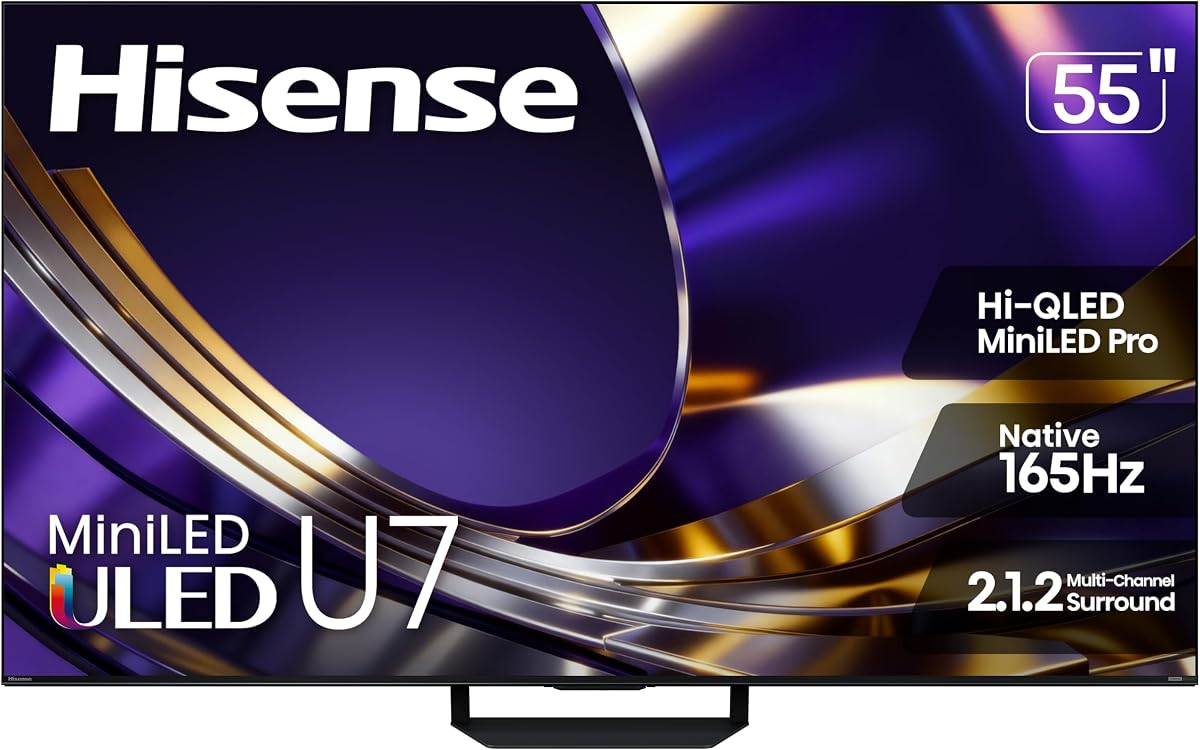
The Hisense 55U7SG is the premium choice for gamers who want the strongest combination of refresh rate, brightness, local-dimming control, and resistance to room reflections. It carries a 4.4 customer rating and stands apart from the list with a native 165Hz panel, a VRR figure advertised up to 330, and a two-layer anti-reflection treatment.
We may earn a commission when you buy through this link, at no additional cost to you.
The Mini-LED backlight uses thousands of LEDs and up to 3,000 local-dimming zones to place bright highlights and dark areas with greater precision. Peak brightness of up to 3,000 nits gives HDR scenes more visual impact, while the Hi-QLED color system is designed to retain saturation and accuracy even in a well-lit room. Dolby Vision IQ, Dolby Atmos, HDR10+, and IMAX Enhanced provide broad support for movies, series, and compatible games.
Its 165Hz native refresh rate gives it a useful advantage over the many 120Hz and 144Hz alternatives on the list. The anti-glare layer addresses a common weakness of large televisions in rooms with windows or overhead lighting. The Hi-View AI Engine Pro analyzes incoming scenes and adjusts picture characteristics, while the listed 2.1.2-channel audio configuration adds more spatial depth than a basic two-speaker television system.
This television is best for a serious gaming setup in a bright or reflective room, especially when the console can take advantage of a high refresh rate and the viewer regularly plays HDR content. Its specification level may be unnecessary for casual players, and the brightest measured performance depends on the content and operating mode. Even so, it offers the most ambitious picture hardware in this group.
A native 165Hz panel provides more headroom for fast games, high-refresh PC output, and VRR transitions. The key benefit is not simply a high headline number, but a broader operating range that can maintain fluid motion when frame rates vary.
The two-layer screen treatment minimizes reflections while the Mini-LED system produces bright highlights. Together, they help maintain a clear image during daytime viewing and reduce the need to dim the room.
We may earn a commission when you buy through this link, at no additional cost to you.
The Hisense 55U6SF Pro is a well-equipped 55-inch Mini-LED television that places native 144Hz performance, Hi-QLED color, and a broad HDR feature set at the center of the experience. Its 4.3 rating and 2026 model designation position it as a current midrange option for PS5 and Xbox owners who want premium fundamentals.
We may earn a commission when you buy through this link, at no additional cost to you.
Hundreds of Mini-LED backlighting zones improve contrast, and the Hi-QLED system is designed to provide accurate color across bright landscapes, dark interiors, and game environments. Dolby Vision IQ, HDR10+ Adaptive, HDR10, HLG, and IMAX Enhanced ensure that supported content can use appropriate picture settings. The 144Hz native panel also supports smooth motion during fast action and competitive gameplay.
The anti-reflection and glare-free treatment is particularly useful in a bright room, while the slim unibody design keeps the television visually restrained. A built-in subwoofer adds deeper bass than many television speakers can produce, and Fire TV supplies direct access to streaming apps, recommendations, and Alexa+ voice control. The Hi-View AI engine automatically adapts picture settings as the content changes.
Buyers should choose this model when they want high-refresh Mini-LED performance but do not need the 55U7SG's larger zone count, greater peak brightness, or dual-layer anti-reflection design. Its reliance on Fire TV may also matter to shoppers who prefer Google TV. For console gaming, however, the 144Hz panel and strong HDR support make it a capable and balanced choice.
The Mini-LED backlight and Hi-QLED color layer improve contrast and saturation without relying on a conventional edge-lit panel. The result is a more dimensional image with bright highlights and better-preserved shadow detail.
Fire TV brings streaming apps, watchlists, recommendations, and Alexa+ into a familiar interface. The built-in subwoofer and wide HDR support add value when the television is also used for films and live sports.
We may earn a commission when you buy through this link, at no additional cost to you.
The Samsung 55-inch M70H Series is a Mini-LED 4K smart television that stands out for its Gaming Hub, motion features, and broad choice of free streaming content. Its 4.3 rating reflects a balanced package, while the 2026 model designation suggests a current generation designed for mixed entertainment and gaming.
We may earn a commission when you buy through this link, at no additional cost to you.
Samsung's Mini LED processor is intended to create brighter highlights and deeper blacks, while Pure Color Spectrum is advertised as delivering one billion true-to-life colors. Supreme Mini LED Dimming provides another layer of contrast control, and the Color Booster is intended to add intensity to red, blue, and green content. These features make the set relevant to HDR games as well as conventional television viewing.
Motion Xcelerator Plus and DLG 120Hz focus on fast-moving scenes, with Samsung claiming clearer visuals for gaming and sports. The Soccer Mode adds specialized processing for matches, including claims of clearer motion and more vibrant greens. The Gaming Hub is perhaps the most distinctive feature, gathering console, cloud, and app-based games in one interface with personalized recommendations.
This is a good fit for a household that wants Samsung's ecosystem and a convenient way to move between console games, cloud services, and gaming apps. It may be less suitable for buyers who require confirmed HDMI 2.1 bandwidth, 4K at 120Hz, or VRR because those capabilities are not detailed in the supplied specifications. The 55-inch size is also a compromise for larger rooms.
Console titles, cloud games, and gaming applications are presented through a central hub. That convenience can reduce the need to switch among multiple source menus, especially for owners who use more than one gaming service.
Local contrast control, high refresh-related processing, and the dedicated Soccer Mode make this television appealing beyond gaming. The result should be most noticeable during fast sports and action-heavy games.
We may earn a commission when you buy through this link, at no additional cost to you.
The Sony 55-inch BRAVIA 3 II is the most obvious recommendation for a dedicated PlayStation 5 setup. It supports HDMI 2.1 features including 4K at 120Hz, VRR, and ALLM, while adding PlayStation-specific tools such as Auto HDR Tone Mapping and Auto Genre Picture Mode. Its 4.1 rating is slightly lower than several alternatives, but its console integration is highly targeted.
We may earn a commission when you buy through this link, at no additional cost to you.
Sony's XR Processor uses AI scene recognition to optimize color, contrast, and clarity, while XR Clear Image focuses on restoring detail and reducing noise. XR Triluminos Pro is advertised as reproducing more than a billion real-world colors. For fast action, enhanced 120Hz clearness and Motionflow XR are designed to keep movement smooth and easy to follow without relying on Mini-LED backlighting.
The Game Menu consolidates picture settings and assist features for PlayStation owners. The television also supports Dolby Vision, Dolby Atmos, and DTS:X, and its X-Balanced Speakers are designed to provide improved sound resolution and deeper bass than a basic television system. The included Sony Pictures Core content and IMAX Enhanced collection add value for non-gaming viewing as well.
The primary audience is a PS5 owner who values automatic picture optimization, modern gaming features, and a clean Google TV interface with Gemini. It is also a strong general entertainment television because of its processing and cinema support. For buyers seeking deeper local dimming or very high brightness, a Mini-LED alternative may be more appropriate, but this set remains unusually well integrated with PlayStation.
Auto HDR Tone Mapping and Auto Genre Picture Mode adjust the image according to the PS5 output and detected content. The dedicated Game Menu keeps these options and assist tools organized for quick access.
AI scene recognition, noise reduction, detail restoration, and XR Triluminos Pro benefit films, live television, and sports. Dolby Vision and immersive audio support also make the set more versatile when the console is idle.
We may earn a commission when you buy through this link, at no additional cost to you.
The TCL 65-inch QM6K is a large-screen QD-MiniLED gaming television that combines a 144Hz native refresh rate with Google's smart-TV platform. Its 4.3 rating and broad format support make it an appealing option for a PS5 or Xbox setup placed in a dedicated room where a 65-inch display can be accommodated comfortably.
We may earn a commission when you buy through this link, at no additional cost to you.
Quantum Dot color technology combines with Mini-LED backlighting to create more than a billion colors, strong brightness, and greater contrast than traditional QLED or OLED claims in the product description. The Halo Control System is designed to reduce blooming around bright objects, preserve shadow detail, and improve picture accuracy in dark scenes—an important consideration for horror games, science-fiction environments, and nighttime viewing.
A native 144Hz refresh rate and Motion Rate 480 support fast action with reduced blur, while Dolby Vision, HDR10+, HDR10, and HLG cover the major HDR ecosystems. Onkyo-tuned Dolby Atmos audio adds stronger sound than a typical built-in television system. Google TV provides familiar streaming access, Chromecast, AirPlay 2, voice control, and a wide selection of gaming-friendly apps.
This television makes the most sense for gamers who want a very large image, high-refresh gaming, and Mini-LED contrast in one reasonably focused package. The 65-inch footprint requires careful measurement and furniture planning, and viewers seated close to the screen may prefer a smaller model. Still, it offers an unusually strong combination of size, motion performance, and picture technology.
Mini-LED backlighting improves brightness and dimming capability while Quantum Dot technology expands the color range. The Halo Control System is intended to keep bright subjects from creating distracting halos around their edges.
The 144Hz panel handles fast games and motion-heavy content, while Google TV supports casting, streaming apps, and voice assistance. Onkyo Dolby Atmos audio further improves the experience when a separate sound system is not in use.
We may earn a commission when you buy through this link, at no additional cost to you.
The TCL 55T7 is a practical 55-inch 4K QLED gaming television built around smooth motion, broad HDR support, and straightforward connectivity. Its 4.3 rating makes it a credible all-round option for a new PS5 or Xbox, especially for buyers who want a 120Hz panel and modern smart features without moving into premium Mini-LED territory.
We may earn a commission when you buy through this link, at no additional cost to you.
QLED color covers nearly the entire DCI-P3 color space, while the AIPQ Pro processor optimizes color, contrast, and clarity. The 120Hz panel refresh rate supports fast games, live sports, and action movies. Motion Rate 480 with MEMC frame insertion adds additional motion enhancement, although some viewers may prefer to leave frame insertion off for certain games where added frames can change the intended presentation.
HDR PRO+ supports Dolby Vision, HDR10+, HDR10, and HLG, providing a good set of options across console games, streaming services, and other sources. Four HDMI inputs include one with eARC, making it possible to connect multiple source devices while returning enhanced audio to a compatible soundbar. Dolby Atmos processing is included for movies, television, and games.
The 55T7 is best for console owners who want a dependable 120Hz upgrade and a clean Google TV interface. Chromecast, AirPlay 2, Wi-Fi 5, voice control, and the included remote make everyday use straightforward. It does not confirm HDMI 2.1, VRR, or the 144Hz mode suggested by the product title, so buyers who require those specific features should verify them before finalizing a purchase.
A native 120Hz panel is a practical target for current consoles and provides cleaner movement than a standard 60Hz television. It also gives fast-paced sports and action films a more fluid appearance.
Four HDMI inputs reduce the need to swap cables whenever the console, streaming box, or soundbar changes. The eARC-capable input also simplifies audio return when using compatible external speakers.
We may earn a commission when you buy through this link, at no additional cost to you.
The Roku 55-inch Select Series is included primarily as a streamlined smart-television option rather than a dedicated high-end gaming display. Its 4.4 rating is among the highest in the group, and the combination of 4K resolution, QLED color, HDR10, and a simple Roku interface makes it effective for console gaming accompanied by streaming.
We may earn a commission when you buy through this link, at no additional cost to you.
Roku Smart Picture cleans up incoming television signals, optimizes the image, and selects an appropriate picture mode. The QLED screen and HDR10 support provide accurate, bright colors, while a straightforward setup process and uncluttered remote help new owners begin quickly. Personalized recommendations, unified search, and fast-launching apps reduce the frustration associated with endlessly scrolling through services.
Voice control is available through Roku Voice, Siri, Alexa, or Google Assistant. AirPlay is included for sharing content from Apple devices, while Bluetooth Headphone Mode allows private listening. The frameless design keeps attention on the screen, and the built-in speakers are designed primarily for clear speech and adequate everyday volume.
This is a good choice for a PS5 or Xbox owner who values navigation, streaming, and a clean living-room appearance more than high-end gaming specifications. The supplied information does not identify HDMI 2.1, VRR, 4K at 120Hz, or a high native refresh rate, so competitive players should not choose it on those assumptions. It is better viewed as an accessible all-purpose screen with solid 4K and QLED basics.
Roku organizes apps, live television, recommendations, and search in a consistent layout. The short setup process and simplified remote are useful for households that do not want to manage a complex television system.
4K resolution, QLED color, and HDR10 provide a good foundation for console games and streaming. AirPlay, headphone support, and multiple voice-control options add flexibility outside the gaming room.
We may earn a commission when you buy through this link, at no additional cost to you.
The Samsung 50-inch U8000H is a compact Crystal UHD television aimed at gamers who want a clear 4K image without a very large screen. Its 4.2 rating reflects a capable general-purpose set, although the listed performance of up to 4K at 60Hz places it below several MiniLED and high-refresh alternatives.
We may earn a commission when you buy through this link, at no additional cost to you.
The Crystal Processor sharpens detail, enhances color, and upscales lower-resolution sources to 4K. Motion Xcelerator estimates and adjusts frame transitions in real time, supporting clearer motion in games and sports. Color Booster is designed to intensify reds, blues, and greens, which can make colorful games and sports more vivid, although some viewers may prefer a more neutral calibrated appearance.
Samsung TV Plus provides access to more than 2,700 free streaming options, including over 750 subscription-free channels, along with regularly updated recommendations. This makes the U8000H useful for everyday entertainment even when no console is active. Its smaller 50-inch footprint may also make it easier to place on a modest stand or wall mount.
The television is best for a bedroom, apartment, or compact gaming area where 4K clarity and a manageable screen size matter more than 120Hz gaming or advanced local dimming. Competitive players may find the 60Hz ceiling and unspecified VRR support limiting. For casual PS5 and Xbox use, however, the combination of 4K upscaling, motion processing, and Samsung's content platform is appealing.
The 50-inch panel is easier to accommodate than larger models, while the Crystal Processor improves clarity for streaming and lower-resolution game sources. It is a practical option for smaller rooms.
Motion Xcelerator works in real time to make transitions more fluid. That can help sports and less demanding games, although the 60Hz ceiling prevents it from competing with high-refresh gaming panels.
We may earn a commission when you buy through this link, at no additional cost to you.
The Hisense 55-inch E6QF is a value-focused Cinema Series television that combines Hi-QLED color, broad HDR support, and convenient smart-TV features. Its 4.0 rating is the lowest in this roundup, but the set's 4K picture, Dolby Vision and Atmos support, and Game Mode Plus still make it relevant for mainstream PS5 and Xbox use.
We may earn a commission when you buy through this link, at no additional cost to you.
Hi-QLED technology is designed to produce rich, vibrant color, while Total HDR Solution supports Dolby Vision, HDR10+ Adaptive, HDR10, and HLG. Dolby Atmos adds object-based sound processing, and the Filmmaker Mode adjusts picture settings to preserve a creator's intended aspect ratio, frame rate, color, and audio. These features give the set more cinematic flexibility than a basic entry-level display.
Game Mode Plus provides an accessible gaming profile, while Motion Rate 120 and AI Smooth Motion with MEMC, noise reduction, and a responsive panel target fast action. Because MEMC generates or inserts frames, competitive players may want to test the setting and disable it if it introduces visual artifacts or changes the intended game presentation. Wi-Fi 6 offers improved streaming stability and capacity over Wi-Fi 5.
The AI Light Sensor automatically adjusts screen brightness in response to ambient light, making the set easier to use throughout the day. It is best for buyers who want an attractive 55-inch 4K television with strong movie and streaming credentials plus a straightforward console mode. Those seeking high-end gaming speed, confirmed VRR, or premium local dimming should choose a more specialized model.
Hi-QLED expands the color range, while Total HDR Solution adjusts the image for the major HDR formats. Filmmaker Mode and automatic light sensing make the set particularly useful for everyday film viewing.
Game Mode Plus provides a straightforward starting point for console play. Motion Rate 120 and AI Smooth Motion support fluid action, but competitive gamers may prefer to adjust or disable frame insertion.
We may earn a commission when you buy through this link, at no additional cost to you.
The right gaming television balances a fast panel, reliable low-latency features, accurate HDR, strong connectivity, and a picture that remains convincing in your room. Comparing the specifications together is more useful than focusing on a single headline number.
Native refresh rate indicates the number of frames the panel physically refreshes each second. A 120Hz television is a meaningful upgrade over a 60Hz model for fast games, sports, and action films, while 144Hz or 165Hz provides additional headroom for high-end consoles, PC gaming, and VRR. Do not confuse a native panel rate with a marketing motion rate that may rely on frame insertion or backlight scanning.
Choose 120Hz as the practical minimum for a modern gaming television. Move toward 144Hz or 165Hz when your games regularly support the higher frame rate or when a PC is part of your setup.
Variable Refresh Rate, or VRR, synchronizes the television's refresh timing with the frame rate delivered by a console or PC. This can reduce tearing and maintain smoother motion when frame rates fluctuate. The supported console range matters as much as the maximum advertised rate, and ALLM can automatically activate a low-latency mode when a recognized console is detected.
For modern PS5 and Xbox Series X gaming, VRR is a highly desirable feature. Confirm the television's supported range, especially if you play action games that rarely maintain a perfectly steady frame rate.
HDMI 2.1 enables features such as 4K at 120Hz, VRR, and ALLM, making it central to a current-generation console setup. The number of fully featured ports is just as important as the logo on the television. Some sets include multiple HDMI inputs while limiting high-bandwidth modes to one or two of them, and not every specification page states the exact allocation.
Look for at least two high-bandwidth HDMI 2.1 ports so a PS5 and Xbox can both operate at their intended high refresh modes. Use the remaining inputs for a soundbar, streaming box, disc player, or other source.
QLED, Mini-LED, and conventional LED sets differ in how they control color and backlight. Mini-LED uses many small lighting zones for finer control of bright highlights and dark areas, while QLED primarily uses quantum-dot color filtering. A well-engineered conventional LED set can still perform well, but Mini-LED generally offers an advantage for HDR contrast and controlled local dimming.
If dark games and HDR films are priorities, favor a Mini-LED model with clearly stated local-dimming capability. For bright rooms, combine that preference with a strong anti-reflection coating and adequate peak brightness.
HDR support includes Dolby Vision, Dolby Vision IQ, HDR10+, HDR10, and HLG, but the presence of a format does not guarantee excellent implementation. Peak brightness, local dimming, color accuracy, and the television's ability to preserve detail in dark scenes determine how convincing HDR content appears. Console owners should also consider whether a model offers a gaming-specific Dolby Vision mode.
Dolby Vision and HDR10+ provide the broadest support for modern streaming and disc content. The Hisense and iFFALCON premium models, along with the TCL QM6K, offer particularly broad format suites.
Brightness is not just about making the picture impressive in a dark room. A television used during the day needs enough output to compete with ambient light, while anti-reflection treatment prevents windows and lamps from washing out the image. Peak brightness figures are most useful when paired with local-dimming information and real-room conditions.
The Hisense 55U7SG stands out for its dual-layer anti-reflection construction and high peak brightness. The Hisense 55U6SF Pro also emphasizes a glare-free surface for owners who regularly view during daylight hours.
The operating system determines how quickly you can reach games, streaming apps, live channels, and smart-home controls. Google TV, Fire TV, Roku, and Samsung's platform each have strengths, but the best interface is the one household members can navigate comfortably. Casting, voice assistants, apps, and recommendations should be considered alongside gaming hardware.
Choose the platform you already understand and prefer. Avoid replacing a familiar system solely for a marginal interface advantage, especially if your household already uses its voice assistant or streaming subscriptions.
Screen size should be based on viewing distance, room dimensions, and seating rather than on a single formula that assumes perfect conditions. A 65-inch set can dominate a compact room, while a 50-inch model may feel restrained in a large space. Built-in audio is convenient but usually cannot match a dedicated soundbar or surround system for powerful game effects and dialogue clarity.
Measure the available area before buying and check the television's stand or wall-mount requirements. Choose a 55-inch model for a typical medium viewing distance, consider 65 inches for a large dedicated room, and plan for external speakers if immersive audio is important.
Begin by choosing the correct HDMI input and enabling the television's game-oriented features through its settings menu. If the set supports ALLM, the compatible console can activate low-latency mode automatically. Otherwise, select the designated gaming input and switch the picture mode to the one intended for games. Avoid unnecessary frame-insertion or motion-processing modes when they create artifacts in competitive titles.
Next, calibrate the picture to your room rather than judging the image under showroom-style assumptions. Use the television's gaming or game mode as a starting point, then adjust brightness, contrast, and color according to the ambient light. Enable the appropriate HDR format automatically, keep the television's automatic light sensor active if the model includes one, and avoid placing a screen where direct sunlight creates severe reflections.
For the best daily experience, connect the PS5 and Xbox to separate high-bandwidth HDMI ports when possible, then use eARC for a compatible soundbar. Keep the console firmware and television software current, label each input clearly, and use the smart platform's picture presets thoughtfully. Clean the screen with a soft, lint-free cloth and avoid harsh cleaners that could damage the display coating.
HDMI 2.1 is strongly recommended for current-generation consoles because it supports 4K high-refresh output, VRR, and ALLM. A television with a 120Hz panel and compatible VRR can still provide an excellent experience, but it should have suitable high-bandwidth ports for both the PS5 and Xbox Series X. Check that at least two ports support the modes you plan to use.
Yes. A native 120Hz panel is a practical sweet spot because both current console generations can output up to 120 frames per second in supported games. A 144Hz or 165Hz television can add more headroom for VRR and PC gaming, but its extra performance will not be visible in every title. Frame rate, graphics settings, and the game itself remain important.
QLED primarily describes quantum-dot color technology, while Mini-LED describes the type of backlight and can also use quantum dots. Mini-LED generally allows more precisely controlled lighting zones, stronger local dimming, and better contrast around bright objects. QLED sets can still deliver excellent color, but their backlight control is often less granular.
Dolby Vision is beneficial when the console is playing supported streaming movies, television shows, and other HDR content. It can also be useful for compatible games because the television receives additional mastering information for picture adjustment. The PS5 and Xbox Series X benefit from a broad HDR feature set, but picture quality also depends on brightness, dimming, and processing.
VRR is highly useful because console games often vary their frame rate depending on the scene. Synchronizing the display with those changes can reduce tearing and keep motion relatively smooth. ALLM offers additional convenience by switching the television into a low-latency mode automatically. Both features work best when the television also has a suitably high native refresh rate.
Choose 50 inches for a compact room or shorter viewing distance, 55 inches for a versatile medium-sized setup, and 65 inches for a large dedicated gaming room. Actual comfort depends on seating distance and personal preference. The largest screen is not always the best, especially when it forces viewers to turn their heads or strain to read interface text.
A soundbar can provide clearer dialogue, stronger bass, and wider sound effects than built-in television speakers. Models such as the iFFALCON 55U85 and Hisense 55U7SG already include more capable audio systems, but premium external speakers can still create a more immersive result. Use eARC for convenient audio return when the television and soundbar support it.
Frame-insertion features can make ordinary motion look smoother, but they are not always desirable for games. Some players find added frames distracting, and implementations can create artifacts around fine details. Competitive players may prefer the natural output of the console, while viewers focused on sports or cinematic single-player games may appreciate a smoother presentation.
The iFFALCON 55U85 is the most balanced overall choice because it combines native 144Hz performance, four HDMI 2.1 ports, VRR, ALLM, Mini-LED backlighting, broad HDR support, and built-in 2.1 audio. The Hisense 55U7SG is the premium image-performance winner, while the TCL 55T7 offers the clearest path to a capable 120Hz gaming setup with modern smart features.
Prioritize native refresh rate, usable high-bandwidth HDMI ports, VRR, and low-latency behavior before placing much weight on extra smart-TV features. Add local dimming, brightness, anti-reflection treatment, and color accuracy when the same television will handle movies, sports, and everyday streaming. The right screen should also fit naturally into the room and suit the distance from the screen.
Specifications can vary by model size, firmware, regional release, and the exact configuration of a product listing. Check the current product page for port details, supported console features, dimensions, and availability before making a final decision. Current prices and promotions can also change, so comparing the complete feature set at the time of purchase is essential.