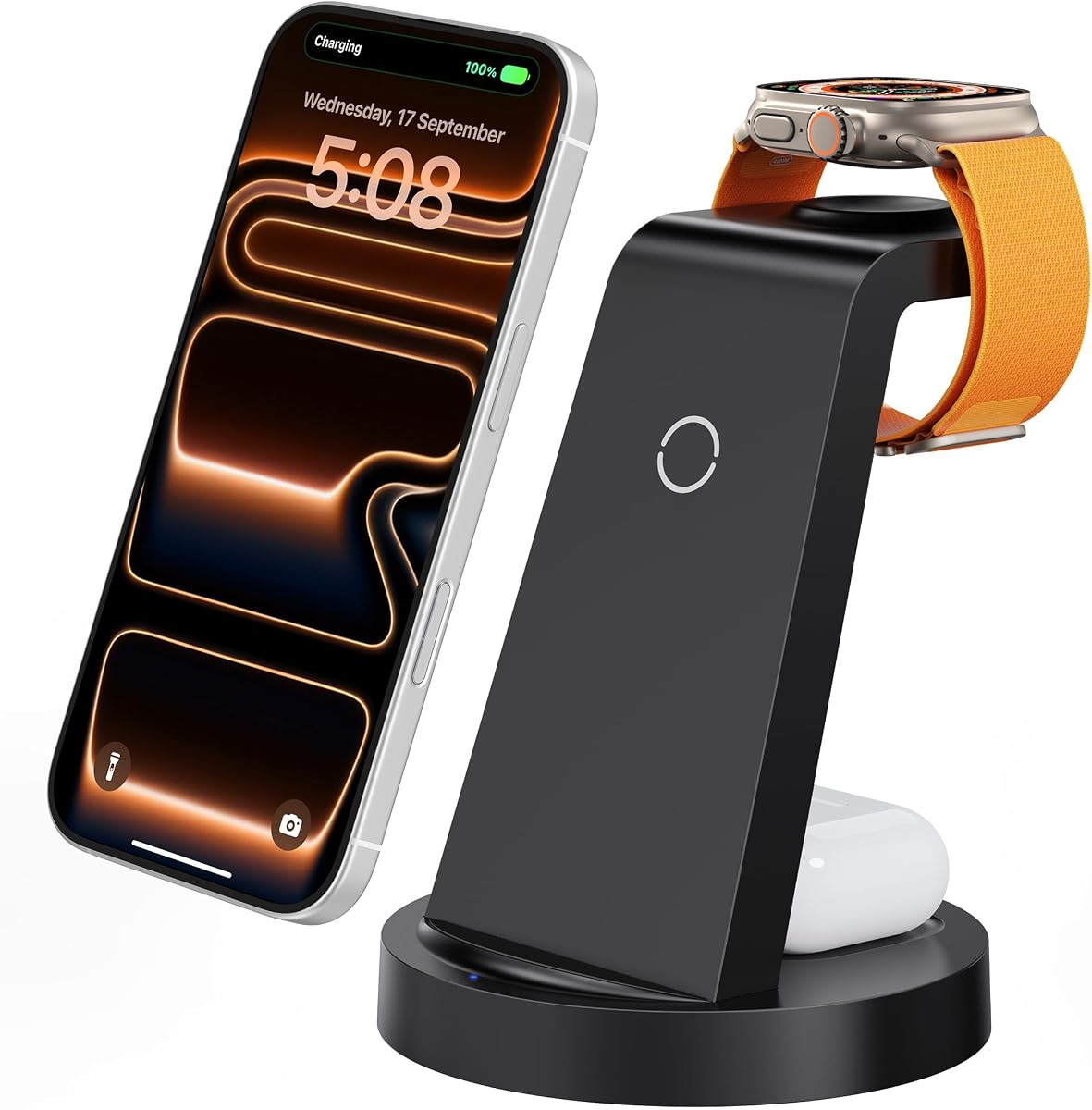
Anlmz 3 in 1 Charging Station
4.2Editor score
Charges three Apple devices
Includes 18W power adapter
Supports cases up to 5mm
Compare 10 Charging Dock for Multiple Apple Devices options for iPhone, Apple Watch, and AirPods, with guidance on power, ports, portability, safety, and setup.
A charging dock for multiple Apple devices can replace several adapters, loose cables, and bedside charging clutter with one organized setup. The best options balance useful power delivery, broad iPhone, Apple Watch, and AirPods compatibility, safe construction, and a footprint suited to your home, office, or travel routine.
We compared ten products using the specifications and feature information supplied for each model. The list covers dedicated 3-in-1 wireless stands, foldable travel docks, feature-rich desk stations, and high-capacity organizers with USB-A and USB-C ports, allowing each reader to compare charging layouts rather than just device counts.
Each review explains the standout benefits, limitations, and most suitable buyer. The top selections are the Anker MagGo for premium wireless charging, Acer Gadget for its multifunction desktop design, and Anlmz for compact three-device charging. Product prices and availability can change, so confirm current details before purchasing.
4.2Editor score

4.2Editor score

4.6Editor score
This side-by-side comparison highlights each dock's device capacity, charging methods, portability, and extra features. The products range from focused wireless three-device stands to large charging organizers designed for mixed Apple and USB-powered equipment.

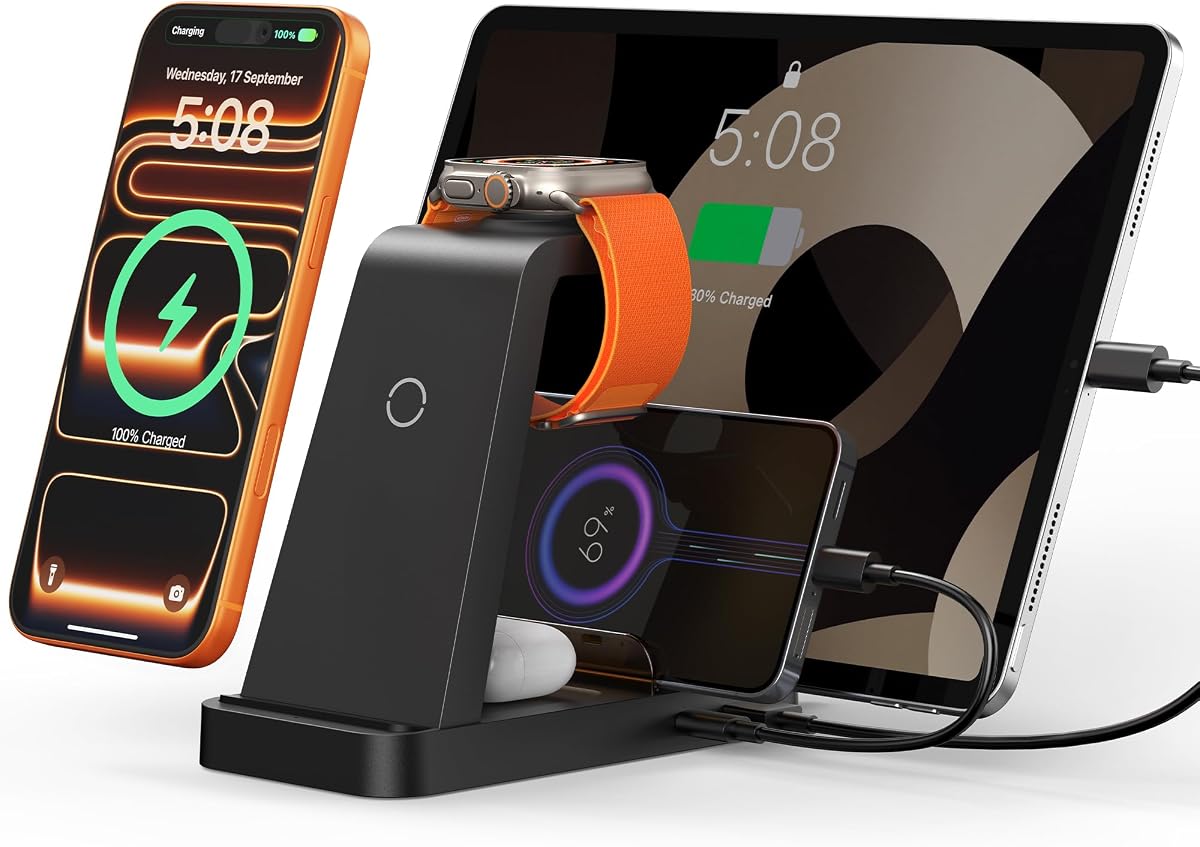


The GETPALS 3-in-1 Wireless Charger is a compact charging dock for an iPhone, Apple Watch, and compatible wireless-case AirPods. Its 4.2 rating reflects a generally practical design, with the strongest attraction being the combination of three dedicated charging positions and a foldable body. The stand can serve a bedside, office desk, window sill, or travel bag.
We may earn a commission when you buy through this link, at no additional cost to you.
Its primary advantage is straightforward organization. The phone section provides up to 7.5W, the earbuds section delivers up to 3W, and the watch section supports up to 2.5W. The listed compatibility covers a broad selection of iPhone, Apple Watch, and AirPods models, although AirPods 2, 3, and 4 require a MagSafe-compatible charging case. A non-slip surface helps keep each device in position.
There are practical trade-offs. The watch charging rate is modest, and the dock offers no USB-A or USB-C passthrough for a tablet or other wired accessory. Case thickness must remain within 4mm, while cases containing metal rings, pockets, or magnets should be removed. Despite those limits, the foldable construction and focused three-device layout make it more travel-friendly than most full-size desk organizers.
Choose this dock if your household uses an iPhone, an Apple Watch, and AirPods but does not need to charge several laptops or tablets at the same time. It is particularly appealing for frequent travelers who want a dedicated Apple charging setup that can collapse for packing. For stationary homes with many wired gadgets, one of the larger multi-port organizers may offer better value.
The folding structure reduces the amount of space the dock occupies when it is not being used, while the three clearly defined charging areas keep a typical Apple-device collection together. It is a more natural travel companion than a permanently open organizer with tall dividers and a wide base.
Overcurrent, overvoltage, and overheating protection are included, along with LEDs that provide charging-status feedback. The anti-slip surface improves stability, although users should still check that each device is centered and that its case does not contain incompatible metal or magnetic accessories.
We may earn a commission when you buy through this link, at no additional cost to you.
The 5-in-1 Wireless Charging Station combines dedicated Apple-device areas with wired charging and a substantial 36W power adapter. It carries a 4.3 rating and is among the more versatile options here, supporting an iPhone, Apple Watch, AirPods, iPad, and a device using a Type-C connection at the same time.
We may earn a commission when you buy through this link, at no additional cost to you.
The station's appeal comes from its flexible device placement. Listed compatibility includes recent iPhone generations, numerous Apple Watch series, AirPods versions, and iPads. A USB-to-Lightning cable and Type-C-to-Type-C cable are included, while open USB and USB-C ports permit the use of personal cables for accessories, power banks, electric toothbrushes, shavers, and compatible Mac accessories.
Users should note the operating guidance. The supplied information recommends removing the phone case during charging and says case thickness should remain below 5mm. The product is also designed around its provided adapter, which helps ensure that the five charging positions receive appropriate power. Sixteen ventilation openings and four anti-slip pads support heat dissipation and stability.
This is a strong choice for an Apple household that also owns an iPad or several accessories but does not need laptop-level charging. It offers more flexibility than a basic three-device pad while remaining less expansive than a 10-, 13-, or 15-device charging organizer. It is a well-rounded choice for a shared desk or nightstand.
Most dedicated three-in-one docks solve only the core Apple trio. This model adds cable-based charging for an iPad and other USB or Type-C equipment, making it more useful when every device in the home does not use wireless charging exclusively.
The included 36W adapter, ventilation openings, and device partitions help support simultaneous use. Using the specified adapter and observing the case guidance should make the setup more predictable, particularly when several devices are connected.
We may earn a commission when you buy through this link, at no additional cost to you.
The MERGROLY 320W 10-Port Station is built for households with many devices and cables rather than only the standard iPhone, Watch, and AirPods trio. Its 4.4 rating reflects a versatile wired design with five USB-C and five USB-A ports, a 320W aggregate output, and enough capacity to serve phones, tablets, Kindles, and laptops.
We may earn a commission when you buy through this link, at no additional cost to you.
The port configuration provides a good balance of power and flexibility. Two USB-C ports deliver 65W, three additional USB-C ports deliver 30W, and the USB-A connections support fast charging for compatible accessories. The station also includes eight short cables in several formats, reducing the need to locate matching leads for every device. An Apple Watch holder is built in, though its charging cable is not supplied.
This is a cable-management product rather than a true wireless charging dock. It does not provide dedicated Qi charging areas for an iPhone or AirPods, so those devices still need a connected cable. Its raised and widened slots can accommodate thicker devices, and the middle anti-slip detail helps keep hardware from sliding. Smart chips are described as detecting devices and supplying appropriate charging current.
Pick this model when your charging needs extend well beyond a bedside Apple trio. It is a strong candidate for a family desk, home office, or shared work area where several tablets, phones, e-readers, and computers need one organized power source. For someone specifically wanting a clean wireless nightstand, a three-in-one model will be more immediately convenient.
Ten ports and a 320W output provide meaningful room for simultaneous charging. The inclusion of mixed short cables is particularly useful because it lets the owner create a permanent charging area without purchasing a separate lead for every phone, tablet, or accessory.
The widened and raised slots can hold devices that still have protective cases, while anti-slip pads protect the desk and reduce movement. The integrated watch holder adds an Apple-oriented feature, although buyers must supply or retain a compatible watch charging cable.
We may earn a commission when you buy through this link, at no additional cost to you.
The Acer Gadget 7-in-1 Wireless Charging Station is a feature-rich desktop dock that combines charging, a clock, temperature information, and adjustable ambient lighting. Its 4.2 rating reflects a broad set of functions, while seven distinct charging functions and support for up to six devices set it apart from straightforward three-device stands.
We may earn a commission when you buy through this link, at no additional cost to you.
The charging layout includes two wireless phone positions, a wireless earbuds position, an Apple Watch position, and wired USB-A and USB-C connections. A 30W adapter is supported, and the listed compatibility covers current and recent iPhone generations, Apple Watch series, and AirPods with wireless charging cases. Galaxy and other compatible Android phones are also supported on the wireless phone areas.
The least convenient requirement is the case restriction. The supplied guidance says case thickness should be less than 2mm, making this model less forgiving than docks rated for 4mm or 5mm cases. Samsung Watch is also excluded. On the positive side, the Bluetooth time synchronization, weekday display, indoor temperature readout, and adjustable warm or cool lighting give the station a useful role beyond basic charging.
This is the editor's choice for readers who want more than a hidden charging accessory. It works particularly well on a desk where a glanceable clock is useful and where several wireless devices need stable positions. It is less appropriate for a household that regularly uses thick phone cases or a non-Apple watch, but for the stated device mix it offers an unusually complete desktop experience.
The time display, weekday, temperature reading, and adjustable lighting transform the station into a small information hub. That makes it more noticeable and useful on a home office or bedside surface than a plain charging pad with no secondary functions.
Two phone charging positions are useful when members of the household share a desk, while the watch and earbuds areas complete the core Apple ecosystem. Compatibility is broad, but the under-2mm case guideline is stricter than that of many competing docks.
We may earn a commission when you buy through this link, at no additional cost to you.
The Anlmz 3 in 1 Charging Station is a focused desktop dock for an iPhone, Apple Watch, and AirPods equipped with a wireless charging case. Its 4.2 rating and included 18W adapter make it a straightforward option for people who want the core Apple-device trio in one place without paying for a large multi-port organizer.
We may earn a commission when you buy through this link, at no additional cost to you.
The charger prioritizes simplicity. It includes a charging stand, an 18W adapter, a 3.3-foot USB-C cable, and a user manual. The listed device compatibility covers iPhone 8 and newer wireless-charging models through recent series, multiple Apple Watch generations, and AirPods versions with MagSafe-style wireless cases. A soft blue LED indicates charging status without creating a harsh bedside light.
Unlike magnetic stands, this model relies on center placement rather than magnetic alignment. That makes it usable with cases up to 5mm, but it also means the phone must sit properly on the charging surface. Metal, magnetic, or credit-card accessories should be removed. Smart chipset features reportedly include overcharge protection and a switch to trickle charging once a device is full.
Choose the Anlmz when a reader wants a compact, uncomplicated nightstand charger and can place each device correctly. Its case tolerance is more generous than the Acer Gadget's, while its smaller scope makes it less cluttered than a five- or ten-device station. It is best for one person or one household's standard Apple trio rather than a busy shared charging area.
The station covers the three devices most Apple users recharge together without adding tablet or laptop connections. This keeps the footprint small and the charging process easy to understand, which is especially helpful on a nightstand.
The non-MagSafe design supports cases up to 5mm and allows more case styles than stricter alternatives. The trade-off is manual centering, so buyers who value automatic magnetic positioning may prefer a magnetic foldable dock instead.
We may earn a commission when you buy through this link, at no additional cost to you.
The Foldable Magnetic Charging Station combines three-device wireless charging with a magnetic phone surface and a 180-degree folding design. Its 4.2 rating makes it a practical middle ground for travelers who want the convenience of magnetic alignment without carrying a full-size charging organizer.
We may earn a commission when you buy through this link, at no additional cost to you.
The magnetic section is designed for iPhone 12 and later, including the listed iPhone 12 through 17 families. It also includes positions for Apple Watch and AirPods, and one cable connects the dock for all three devices. Because the mat can fold into a phone stand or lie horizontally, it can support calls, video viewing, entertainment, or desk work while the phone charges.
Compatibility depends on the individual products. AirPods 2, 3, and 4 require a magnetic or MagSafe-style charging case, and the magnetic phone alignment naturally excludes older iPhones that lack the required system. The package includes an 18W adapter, cable, and manual. Temperature, overvoltage, short-circuit, and overcurrent protection are included, along with FCC certification.
This dock is a good fit for someone who travels with an iPhone 12-or-newer, Apple Watch, and compatible AirPods. It can replace three separate leads in a carry-on or overnight bag and become a stable stand at the destination. Buyers who need to charge several tablets and accessories simultaneously should consider a larger wired station.
The magnetic surface helps the phone settle into an effective charging position rather than requiring repeated manual centering. This is the clearest advantage over basic center-placement pads, although it applies only to the listed magnetic iPhone series.
The 180-degree folding structure creates a compact travel pad and a usable phone stand. At home or in an office, the same folding action lets the user switch between upright viewing and horizontal charging without carrying separate accessories.
We may earn a commission when you buy through this link, at no additional cost to you.
The Lcssio 300W 8-Port Charger is a high-output desk organizer for phones, tablets, laptops, and other USB-powered devices. It carries a 4.5 rating, making it one of the stronger customer-rated options in this guide, and its five USB-C and three USB-A connections make it a strong option for mixed-device households.
We may earn a commission when you buy through this link, at no additional cost to you.
Two 65W USB-C ports can handle compatible laptop charging, while additional 30W and 20W ports are intended for tablets, phones, earbuds, Kindles, and watches. The total output can reach 300W. Six short mixed cables are included, covering iPhone and iPad connections, Type-C, and Micro USB, which makes it easier to establish a permanent shared charging area immediately.
The product emphasizes a solid, non-removable housing rather than inexpensive dividers. Its fixed slots include wider and taller spaces in the middle for thicker devices and cases. Four anti-slip rubber pads help protect the desk and keep the station stable. It is, however, a wired organizer: there are no dedicated wireless surfaces for an iPhone, Watch, or AirPods.
Choose this dock for a home office, family station, or communal workspace that has more wired devices than wireless ones. It is less suitable for someone whose priority is a visually clean Apple nightstand with no exposed leads. Its laptop-capable ports, high aggregate output, and included cables make it a compelling central power hub for mixed equipment.
The 300W output and dual 65W ports provide enough headroom for a laptop alongside several smaller devices. Smart allocation among the connections can make the station more practical than a group of low-output wall adapters.
The one-piece housing and wider central slots are intended to remain stable while cables are connected and removed. Fixed dividers make the station less customizable, but they also reduce the chance of lightweight or easily displaced parts.
We may earn a commission when you buy through this link, at no additional cost to you.
The 600W 13-in-1 Charging Station is one of the broadest products in this guide, combining a three-in-one Apple wireless section with a ten-port wired charging base. Its 5.0 rating represents the highest customer rating among the supplied products, while the combined 600W output positions it as a comprehensive central charging hub.
We may earn a commission when you buy through this link, at no additional cost to you.
The wired section includes two 100W USB-C ports, two 65W USB-C ports, two 60W USB-C ports, and four 30W USB-A ports. The Apple section adds wireless charging for an iPhone, Apple Watch, and AirPods. This lets a mixed household charge a laptop, phones, tablets, accessories, and wireless Apple devices without maintaining a separate wall outlet for each category.
The design includes intelligent charging circuitry and protection against overcurrent, overvoltage, high temperature, and overcharging. The phone and earbuds charging stand has indicators that glow green briefly and then switch off, avoiding persistent nighttime light. A notable limitation is that the USB-C port on the Apple Watch wireless stand is non-charging, so it should not be treated as another wired power connection.
This is the right choice for a technically equipped household that wants one visible command center for many devices. It combines the convenience of wireless Apple charging with laptop-capable wired connections, unlike simpler three-device stands. Buyers should consider the physical scale and whether they truly need the full 600W potential before committing to such a broad station.
The integrated wireless section removes the need for separate iPhone, Watch, and AirPods leads. At the same time, the ten wired ports address devices that cannot charge wirelessly, giving the station a genuinely mixed-device purpose.
Two 100W USB-C ports and the range of 30W, 60W, and 65W connections create ample power for laptops and mobile devices. The aggregate 600W rating makes this model most convincing for users with numerous high-wattage devices rather than a single Apple trio.
We may earn a commission when you buy through this link, at no additional cost to you.
The Anker MagGo 3-in-1 Qi2 Charging Station is a premium magnetic dock for an iPhone, Apple Watch, and AirPods. Its 4.6 rating is the second-highest among the listed products, and the combination of Qi2 charging, official Apple Watch certification, and adjustable viewing makes it a refined option for a desk or nightstand.
We may earn a commission when you buy through this link, at no additional cost to you.
The iPhone charging area can deliver up to 15W, while the dock charges the watch and earbuds in their dedicated positions. Apple Watch Series 10 is stated to charge from zero to full in one hour and 13 minutes based on internal lab testing, though actual times can vary. A 40W USB-C adapter and five-foot USB-C cable are included, along with a 24-month warranty.
The stand adjusts vertically through 45 degrees, allowing a comfortable upright charging position for notifications, video calls, or Apple's landscape StandBy mode. Its design is intentionally focused: it does not include wired USB ports for tablets, laptops, or extra accessories. Buyers seeking a single consolidated power organizer for a whole household may need one of the larger multi-port models instead.
Choose the Anker MagGo when charging performance, magnetic alignment, and refined stand use matter most. It is especially attractive for a compatible MagSafe iPhone owner who watches content or uses a phone stand throughout the day. For people wanting the simplest bedside Apple dock without premium charging features, the Anlmz provides a more modest alternative.
The Qi2 platform and up-to-15W phone output distinguish the Anker from basic center-placement pads. Magnetic alignment makes the dock convenient for repeated daily use, while the 40W adapter provides dedicated power for the complete three-device setup.
The 45-degree adjustment range and landscape support turn the dock into more than a charger. It can remain on a desk for notifications, video calls, or StandBy mode while still replenishing the phone's battery.
We may earn a commission when you buy through this link, at no additional cost to you.
The 600W 15-in-1 Charging Stand is the maximum-capacity option in this guide, combining twelve wired ports with a three-in-one Apple wireless charging section. Its 4.2 rating reflects a broad and flexible design, while support for up to fifteen devices makes it suited to large families, shared offices, and charging-heavy workspaces.
We may earn a commission when you buy through this link, at no additional cost to you.
The wired specification includes two 100W Power Delivery USB-C ports, two 65W USB-C ports, four 60W USB-C ports, and four 20W QC USB-A ports. The integrated wireless area handles an iPhone, Apple Watch, and AirPods. This combination supports phones, tablets, Kindles, earbuds, and other compatible Android or Apple equipment from one organizer.
One notable practical feature is the extra-wide laptop slot, listed at 1.57 inches wide by 1.77 inches high. It is intended to hold a laptop or child's tablet securely, even with a thick protective case. The station uses GaN III technology and lists eight safety layers, including flame-retardant construction and protection against overcurrent, overvoltage, overcharge, overload, overheating, and short circuits.
Buy this station if you routinely need to charge a large collection at once and have enough desk or nightstand space for a substantial organizer. It offers the widest mix of outputs in the roundup, but that flexibility can exceed the needs of a single Apple user. Smaller households should compare it with the more focused three-device and five-device options.
Twelve wired connections and three wireless positions create the broadest capacity among the reviewed products. This makes the station useful when family members, visitors, or office workers regularly place several different devices on charge at once.
The widened and heightened side slot accommodates laptops and thick-cased tablets while holding them in place. That detail makes the unit more practical for homes where children's tablets remain cased while charging.
We may earn a commission when you buy through this link, at no additional cost to you.
The right charging dock depends on the number of devices, charging methods, available space, case thickness, and the importance of portability. Start with the devices you actually need to charge together rather than choosing solely by the largest advertised device count.
A dedicated 3-in-1 station is usually enough for one iPhone, one Apple Watch, and one set of compatible AirPods. A 5-in-1 model becomes useful when an iPad or other wired device also needs regular charging. High-capacity organizers with 8, 10, 13, or 15 positions are better for shared rooms, families, and offices where many phones, tablets, laptops, and accessories accumulate throughout the day.
Choose the smallest layout that covers your routine. Extra ports add flexibility, but they can also increase the station's size, power requirements, and visual footprint.
Wireless charging works best when a device is properly centered, and magnetic alignment can make that process easier. Some models support only a specific AirPods charging case, while others require the USB-C port on their watch section for anything other than watch charging. Phones may also need their cases removed or kept below a specified thickness.
For dependable charging, check both the device list and the case guidance. A dock that supports your exact iPhone, Watch, and AirPods versions is more valuable than one with a higher theoretical device count but restrictive requirements.
Some compact wireless docks include an adapter, while larger organizers may expect the user to provide suitable power. Products in this guide include adapters ranging from 18W to 40W for focused wireless setups, and high-output wired stations use much greater aggregate power for laptops and several connected devices. Several organizer models also include short mixed cables, reducing the need to purchase leads immediately.
Use the supplied or specified adapter whenever the manufacturer calls for it. Third-party or undersized adapters can prevent multiple zones from working together at their intended output.
USB-A ports remain useful for older accessories, while USB-C is important for modern phones, tablets, and laptops. Pay attention to individual wattages rather than relying only on the total station output. A 65W or 100W USB-C connection may run a compatible laptop, while 20W to 30W ports are better suited to phones and smaller devices. Multiple ports do not guarantee that every device receives full power at once.
Prioritize the ports your household actually uses. A mixed set of USB-C and USB-A connections is generally more versatile than a collection of ports that all provide the same modest output.
Case limits range from less than 2mm on the Acer Gadget to 5mm on the Anlmz, with the GETPALS supporting up to 4mm. Cases containing metal rings, pockets, credit cards, or magnets can interrupt wireless charging. Magnetic docks are convenient for supported iPhone models, but center-placement stands may accept more varied case styles.
Measure a typical case before buying and check whether the user can remove it overnight. Also consider alignment: magnetic attachment is convenient, while a stable center mark may be sufficient for a permanently positioned nightstand.
Look for overcurrent, overvoltage, overheating, overcharge, short-circuit, and foreign-object protection, especially when several devices are connected to one source. These safeguards are especially valuable in high-output stations with laptop-capable ports. The reviewed products describe various combinations of these protections, but no charger eliminates the need to use compatible cables and observe the manufacturer's instructions.
Good ventilation, stable rubber feet, and a non-slip charging surface add everyday reliability. For overnight use, choose understated indicators that do not create persistent bright light in the room.
Foldable three-device docks are convenient for travel and can become phone stands. Full-size organizers are better suited to permanent desks because their upright slots organize a larger device collection. Some products also provide wider spaces for cased tablets or laptops, while others use a fixed housing that is difficult to adjust after assembly.
Think about where the station will live. A travel user benefits from a small folding mat, while a family charging center should prioritize cable management, device capacity, and stable storage over easy packing.
Some charging docks add functions that have little to do with electrical performance. The Acer Gadget includes a Bluetooth-synchronized clock, weekday display, indoor temperature, and adjustable ambient lighting. High-capacity organizers instead emphasize dividers, laptop slots, and a large number of powered connections. These extras can improve daily usability, but they are secondary to correct device compatibility and adequate power.
Decide whether added intelligence or a simpler layout better matches your routine. A clock is useful at a desk, whereas a traveler may prefer the smallest possible object and a featureless cable-management design.
Begin by placing the station on a stable, level surface with ventilation openings unobstructed. Read the device compatibility and case instructions, connect the specified power adapter, and allow the dock or its indicators to initialize. Before beginning overnight charging, confirm that every device is centered on the correct wireless surface or connected to the appropriate wired port.
Charge compatible Apple devices in their designated areas: iPhone on the wireless phone pad or magnetic position, Apple Watch on the watch charger, and AirPods on the earbud section with a supported wireless case. Remove metal cards, magnetic rings, pockets, or other accessories from phone cases. If charging is inconsistent, reposition the device, remove a thick case, and clean the charging surface with a dry, soft cloth.
For a large wired organizer, connect each item with the included or manufacturer-recommended cable and avoid using damaged or uncertified leads. Keep slots stable, route cables neatly, and leave space around the station for heat dissipation. Do not place fabric, paper, or other materials over vents, and check periodically that devices, plugs, and the power connection remain secure.
Yes, many of the reviewed stations provide dedicated positions for all three products. The exact combination depends on the AirPods case, because some models require a wireless or MagSafe-compatible case. Always check the complete compatibility list rather than assuming every version of AirPods supports the same charging position.
It depends on the dock and case. Some models support cases up to 4mm or 5mm, while the Acer Gadget requires a thickness below 2mm. Cases containing metal, magnets, pockets, or credit cards can interrupt charging even when the overall case is thin enough, so removing them is often the simplest troubleshooting step.
A wireless dock is optimized for a small group of compatible devices, usually an iPhone, Apple Watch, and AirPods. A multi-port organizer adds several USB-A and USB-C connections for tablets, laptops, e-readers, and accessories. It is more powerful and versatile, but usually larger and more cable-oriented.
Some high-output organizers can charge compatible laptops through USB-C ports that provide 65W or 100W. A basic 3-in-1 wireless dock cannot. Check the laptop's charging requirements and the station's individual port output, and do not assume that a high aggregate station rating guarantees adequate laptop power on every port.
Magnetic alignment is usually easier because the phone attaches directly to the charging position, and it is useful for viewing angles or StandBy mode. Center-placement stands may work with a wider range of case styles and do not require a magnetic iPhone. The best choice depends on device compatibility, case thickness, and how much automatic alignment matters to you.
The reviewed products include combinations of overcurrent, overvoltage, temperature, overcharge, short-circuit, and foreign-object protections, making overnight use part of the intended design. Use the specified adapter, keep ventilation areas clear, center wireless devices correctly, and follow the manual. If a device becomes unusually hot or charging behaves inconsistently, disconnect it and allow the station to cool.
The GETPALS and foldable magnetic charging station are the most travel-oriented options because both can collapse for packing. They use a single cable for the core Apple trio and add little bulk beyond the charging mat. The larger multi-port organizers are better suited to permanent desks and shared charging areas.
No. The mixed cable bundles are intended to provide convenient connections for common device types, but connector shape alone does not guarantee fast charging. Device requirements, port wattage, and cable specifications still matter. Check compatibility and use the original or manufacturer-recommended cables for critical high-power devices.
The Anker MagGo 3-in-1 Qi2 is the premium choice for a reader who values strong magnetic alignment, up to 15W wireless phone charging, and an adjustable viewing stand. The Acer Gadget 7-in-1 wins the editor's choice for its unusually complete desktop feature set, while the Anlmz 3-in-1 offers a compact, case-friendly way to charge the core Apple trio.
For larger households, the Lcssio, MERGROLY, 13-in-1, and 15-in-1 stations prioritize wired capacity, laptop-capable USB-C connections, and organized storage. Choose based on the devices you charge regularly rather than the highest device count, and verify AirPods case type, phone-case thickness, included accessories, and port-specific power before buying.
Current prices, promotions, and availability can change over time, so review the listing and manufacturer instructions before checkout. Confirm the included adapter, supported device models, and any case restrictions so the dock fits both your devices and your available space.
