
DJI Osmo Pocket 3 Creator Combo
4.5Editor score
Rotating two-inch touchscreen
Three-axis mechanical stabilization
ActiveTrack 6.0 subject tracking
Four-K 120fps recording
DJI wireless microphone support
Our expert guide compares the best camera for social media content, covering vlogging cameras, phone kits, creator bundles, and webcams for every creator.
A camera for social media content should make filming faster, framing more intuitive, and sharing more convenient. The best option depends on whether you create vertical videos, live demonstrations, travel stories, tutorials, reaction videos, or live streams. Key considerations include image quality, stabilization, screen movement, audio, connectivity, and portability.
We compared ten cameras and creator kits based on their stated features, intended uses, ratings, included accessories, and potential advantages for social media workflows. The list covers dedicated pocket cameras, general-purpose camcorders, phone-based kits, a picture-in-picture creator camera, and a fixed-position webcam, giving both beginners and established creators options.
Each selection reveals what makes it useful for a particular type of content, along with important trade-offs to consider before buying. Ratings and product details can change, while offers and prices fluctuate, so readers should verify the latest specifications, accessories, compatibility, and current price on the linked product page before making a purchase.
4.5Editor score

5.0Editor score

4.4Editor score
This side-by-side comparison highlights the most important distinctions among the ten options, including video format, stabilization, movable screens, tracking, wireless transfer, audio features, included accessories, and compatibility with phones or computers.




The DJI Osmo Pocket 3 Creator Combo is the most advanced dedicated vlogging camera in this guide, earning a 4.5 rating from its listed customer feedback. Its defining combination is a 1-inch CMOS sensor, 4K recording at up to 120fps, a rotating 2-inch touchscreen, and a three-axis mechanical gimbal. Together, these features make it especially well suited to creators who want polished handheld footage without assembling a large rig.
We may earn a commission when you buy through this link, at no additional cost to you.
Stability is the major advantage. The mechanical gimbal can smooth movement while walking, dancing, following pets, or hiking, giving creators more confidence in a single-camera setup. The rotating touchscreen simplifies switching between horizontal and vertical compositions, which matters for videos published across different platforms. ActiveTrack 6.0 adds another layer of usefulness by keeping a recognized subject framed, while fast autofocus supports action and spontaneous content.
The Creator Combo also strengthens the audio side of the workflow. It includes a DJI Mic 2 transmitter, and the camera can connect directly to two DJI Mic 2 or Mic Mini transmitters for vlogs, interviews, and livestreams. D-Log M and 10-bit color depth provide additional latitude for color grading, while stereo recording offers a clearer foundation than many basic compact cameras. These are meaningful advantages when the final edit will be published professionally.
This is the strongest choice for a creator who regularly films alone, travels, moves around, or wants one camera to cover vlogs, demonstrations, interviews, and social updates. It is less appropriate for someone who simply wants a fixed webcam or the least involved device, but for flexible premium vlogging, its sensor, stabilization, tracking, screen, and accessory ecosystem create a remarkably cohesive package.
The three-axis mechanical stabilization is particularly useful for walking tours, energetic demonstrations, and family moments. It reduces visible shake without requiring the cumbersome setup of a separate gimbal, helping creators concentrate on performance and framing.
The rotating touchscreen makes horizontal and vertical shooting more approachable. Creators can compose self-recorded clips, monitor subjects, and review footage without rotating the entire camera body, which is especially convenient for short-form publishing.
We may earn a commission when you buy through this link, at no additional cost to you.
The Picture-in-Picture Vlogging Camera stands apart because it can record the scene and the creator's reaction at the same time. It carries a 5 rating in the supplied data and is presented as an 8K creator kit with WiFi and a flip screen. For social media, that combination is especially useful because it creates a more personal, conversational format than a conventional camera pointed outward.
We may earn a commission when you buy through this link, at no additional cost to you.
Picture-in-picture recording can support travel vlogs, family occasions, tutorials, product reviews, cooking demonstrations, unboxings, and gaming commentary. Instead of switching between a demonstration shot and a reaction shot, the creator can place the active view inside a larger frame. This gives short-form viewers instant context and may improve engagement by making the creator's personality part of every clip.
The flip-screen design supports self-recording and natural framing, while WiFi offers a convenient way to move captured material toward a phone for editing and sharing. The supplied information emphasizes creator participation rather than technical isolation, which makes the camera feel directed at people who want their audience to see not only what happened but how they responded to it.
This is our editor's choice for creators of reactions, tutorials, reviews, and family-oriented social posts. The decision should be based on the appeal of dual-view storytelling, but prospective buyers should confirm screen movement, included components, and operating procedures on the product page because the supplied listing focuses primarily on picture-in-picture use rather than a full sensor specification.
A dual-view layout keeps the subject visible while preserving the creator's facial expression and reaction. That makes the footage more expressive without requiring a second camera, a complicated switcher, or a separate editing layout.
Picture-in-picture is particularly effective when viewers need both the action and the creator's explanation. It works naturally for product reviews, unboxings, cooking steps, tutorials, and live-style commentary.
We may earn a commission when you buy through this link, at no additional cost to you.
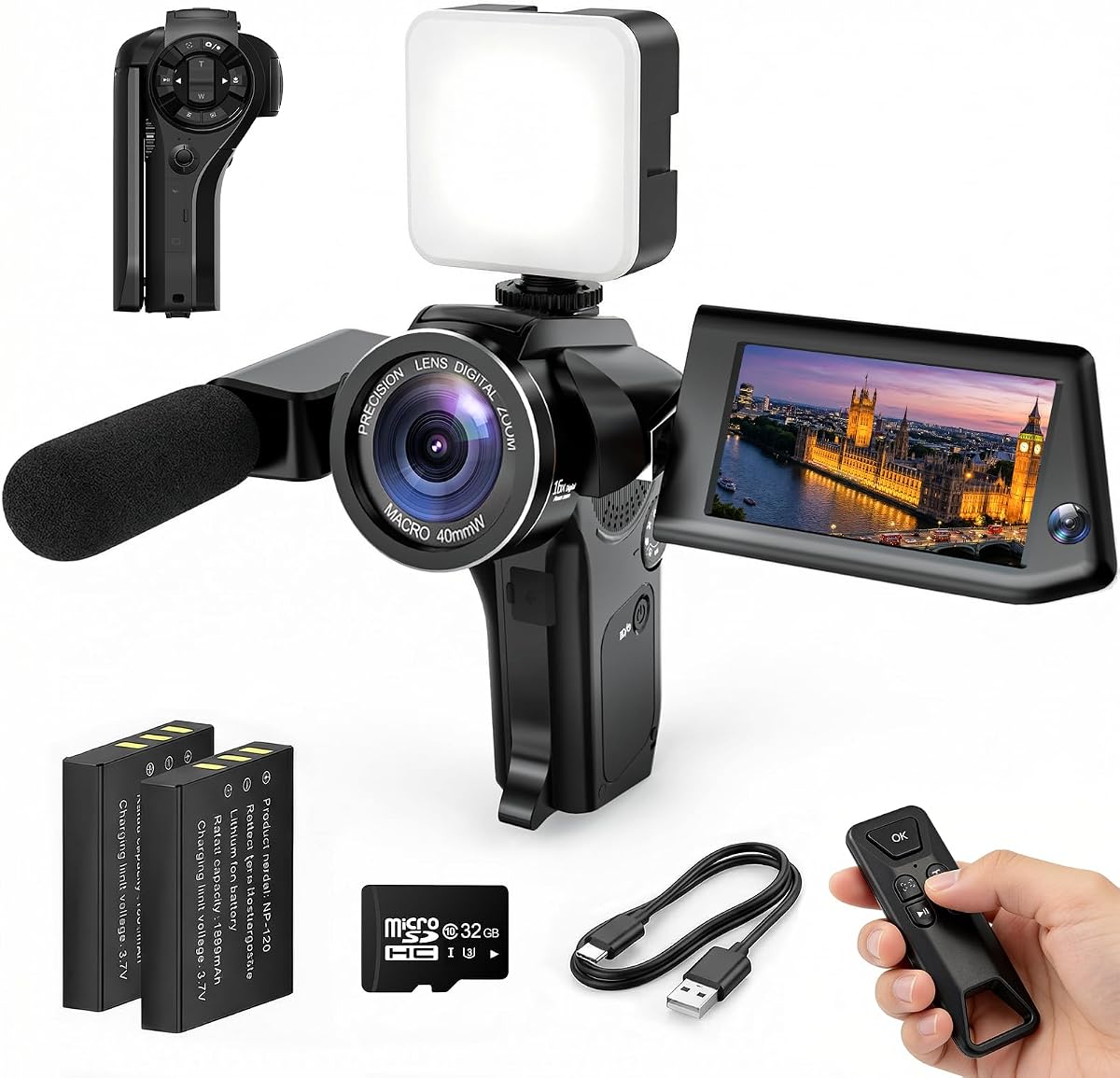
The FlyFrost 8K Camcorder is built for creators who want many functions in one relatively conventional camcorder. Its listed 4.3 rating reflects a balanced set of capabilities, including 8K video at 15fps, 88MP photographs, a 3-inch touchscreen that rotates 270 degrees, 18X digital zoom, WiFi transfer, IR night vision, and two batteries. It is less focused on one signature use than the Osmo Pocket 3.
We may earn a commission when you buy through this link, at no additional cost to you.
The rotating display is useful for checking framing while recording yourself, while the webcam mode turns the camera into a computer input for livestreaming and video calls. The external microphone is intended to reduce wind and background noise, and the included handheld stabilizer provides another way to improve handheld footage. A wireless remote can start or operate recording from up to 60 feet away according to the listing.
Several specialist features broaden the camera's appeal. IR night vision can record black-and-white images in dark environments, while face detection, slow motion, time-lapse, continuous shooting, anti-shake, recording while charging, and a self-timer cover common creator needs. The included lens hook can help shield the lens from stray light, and support for memory cards up to 256GB adds room for longer sessions.
This camera makes sense for experimental creators who want daylight, indoor, night, live, and conventional video options without moving to a phone. Keep in mind that 8K at 15fps is not a substitute for high-frame-rate 4K when the goal is smooth action. The best fit is a feature-seeking beginner who values accessories, flexibility, and a large control set.
IR night vision expands the camera into dim locations where a standard phone or compact camera may struggle. Although the result is monochrome, it can provide useful footage for atmospheric stories, campsite content, and nighttime demonstrations.
Webcam mode adds another layer of usefulness by allowing the camcorder to function as a computer camera. That makes it relevant to livestreams, online meetings, and creators who alternate between recorded and live content.
We may earn a commission when you buy through this link, at no additional cost to you.
The 96MP 8K Vlogging Camera combines photography and video tools in a package aimed at beginner creators. It has a 4.4 rating and a 3.5-inch 180-degree flip screen, a feature that makes it easy to frame yourself, check composition, and record demonstrations. Its stated 8K video, 96MP still images, autofocus, integrated flash, and 20X zoom provide a long list of headline capabilities.
We may earn a commission when you buy through this link, at no additional cost to you.
The screen is one of the most compelling aspects for social content because creators can see themselves while filming. Built-in WiFi can sync media to a phone through the Viipulse app for iOS and Android, potentially shortening the route from filming to editing and publishing. The camera also supports webcam operation through a computer connection, making it relevant for live sessions, teaching, and online calls.
For visual variety, it provides HDR imaging, slow motion, continuous shooting, self-timer, anti-shake, and 60 filters, including monochrome, classic film, vintage, and blue treatments. Two high-capacity batteries help reduce downtime. The flip screen, zoom rocker, and autofocus also make the camera approachable for creators who want more control than a phone without a complex manual-based rig.
It is a good match for travel, family events, school projects, birthdays, sports, everyday vlogs, and creators who alternate between still photography and video. Keep digital zoom in perspective: it narrows the visible field rather than adding genuine optical detail. Even so, the combination of screen movement, connectivity, and creative modes makes this one of the most versatile entry-level options in the guide.
The 180-degree flip screen allows the creator to remain visible while still framing the shot accurately. It is useful for direct-to-camera updates, recipe demonstrations, travel commentary, and behind-the-scenes posts.
WiFi transfer can make captured footage easier to move into an editing app on a phone. That connected workflow suits creators who regularly publish on mobile and want a dedicated capture device without transferring files manually every time.
We may earn a commission when you buy through this link, at no additional cost to you.
The Mini Vlogging Camcorder is deliberately positioned as a simple alternative to larger professional equipment. It has a 4 rating and measures 5.35 by 1.56 inches, making it easy to place in a pocket, small bag, or travel kit. Its selling point is not advanced imaging, but immediate recording with minimal setup for spontaneous clips, daily updates, and travel memories.
We may earn a commission when you buy through this link, at no additional cost to you.
One-button recording eliminates app downloads, QR-code setup, and complicated configuration. A 32GB memory card is included, so a new owner can begin capturing footage without first buying removable storage. The built-in 2000mAh rechargeable battery is advertised for up to seven hours of continuous recording, which is potentially valuable for long outings, family days, and events where access to a charger may be limited.
The 180-degree rotating lens supports point-of-view footage, selfies, and hands-free-style recordings, although the listing notes that rotation is manual. That makes it useful for creators who alternate between showing the surroundings and turning the lens toward themselves. The compact dimensions also make the camera less intimidating in public than a larger camcorder, which can help during public-facing vlogging.
This camera is best for beginners, casual storytellers, travelers, and anyone who values portability over image quality. The manufacturer explicitly says it is not intended to provide DSLR-level results. Viewers who need 4K, advanced stabilization, high-resolution zoom, or professional audio should look elsewhere, but for simple everyday social clips, the uncomplicated operation can outweigh more technical shortcomings.
One-button operation removes the largest barrier for new creators. You can take the camera out, press record, and capture the moment without navigating menus or pairing it with another device.
The small body is a genuine creative advantage because a camera is more likely to be used when it is easy to carry. Pocketable dimensions support spontaneous travel footage, daily recaps, and short updates.
We may earn a commission when you buy through this link, at no additional cost to you.
The 4K Vlogging Camera 330° is a beginner-focused camera offering a useful blend of 4K video, 75MP still images, autofocus, a wide-angle lens, and a rotating lens. It shares a 4.4 rating and a similar feature set with another listing in this guide, so buyers should compare the exact accessories and current product page carefully. Its core appeal is straightforward: a pocketable solo-filming kit.
We may earn a commission when you buy through this link, at no additional cost to you.
The 330-degree rotating lens lets the camera move from a forward-facing view to a self-facing position, helping creators frame travel stories, daily videos, and outdoor content without relying on a separate phone or camera. A wide-angle lens can accommodate more of the surrounding environment, which works well for destination footage and compact indoor scenes. Fast autofocus is another useful feature for content that changes quickly.
Built-in WiFi allows photos and videos to be transferred wirelessly to a smartphone, supporting a mobile editing and publishing workflow. The camera also includes time-lapse, slow-motion, and interval-shooting modes, which provide useful ways to vary pacing and condense long activities. Its included 16GB TF card, mini tripod, charging cable, wrist strap, and travel bag make it a ready-to-use kit for a first creator.
Choose it when portability, a rotating lens, and a complete bundle matter more than advanced color science or a mechanical gimbal. It is best suited to YouTube, TikTok, travel vlogs, and everyday recording. A creator who expects demanding low-light performance or highly controlled professional footage should save up for a more advanced dedicated model.
A 330-degree rotating lens reduces the need to stop, turn the entire camera, and restart a take. That convenience is valuable for fast-paced vlogs where a creator repeatedly addresses the audience and then turns toward the environment.
The memory card, mini tripod, cable, wrist strap, and carrying case cover the basics of filming and travel. This makes the package approachable for a creator who does not want to research every required accessory before recording.
We may earn a commission when you buy through this link, at no additional cost to you.
This Picture-in-Picture camera offers a distinctly social-first way to create videos. Instead of recording only the scene or only the creator, its picture-in-picture mode combines both in one frame. The result is especially relevant for reactions, commentary, product demonstrations, family documentation, and any format in which the creator's response is part of the story.
We may earn a commission when you buy through this link, at no additional cost to you.
The flip screen supports self-recording and helps creators monitor their position, expression, and framing. WiFi is intended to help move media into a phone-based workflow, reducing the friction between recording and editing. Although the product is described as an 8K creator kit, users should not assume that resolution alone determines quality; lens, sensor, stabilization, lighting, and processing all affect the final result.
One key strength is efficiency. A creator can capture a reaction and the event in a single take, which is useful when a second camera, switcher, or complex multicamera setup would be inconvenient. The dual view also helps viewers understand context immediately, especially on a phone screen where a creator and the subject need to be visible at the same time.
This is our top choice for creators whose personality and reactions are central to their content. It is less suited to cinematic filmmaking, wide-angle action, or situations requiring multiple camera angles. Confirm the exact controls, output settings, and included components with the current listing, but the core picture-in-picture function offers a clear and memorable format advantage.
The split presentation shows viewers what is happening and the creator's reaction together. A single take can therefore feel more complete, especially in reaction videos, live commentary, and family milestones.
Birthdays, holidays, school performances, and weekend adventures gain a more personal quality when the person filming remains visible. That direct participation can make the footage feel less detached and more emotionally immediate.
We may earn a commission when you buy through this link, at no additional cost to you.
The Phone Vlogging Starter Kit is a comprehensive accessory package for creators who already understand that a phone can serve as a capable social media camera. With a 4.4 rating, it includes a camera tripod, flexible tripod, wireless headset, RGB fill light, adjustable phone clamp, remote control, charging cables, receiver components, a storage bag, and manuals. It is a kit rather than a standalone imaging device.
We may earn a commission when you buy through this link, at no additional cost to you.
The two tripods cover different shooting needs. The extendable camera tripod offers adjustable height and a standard 1/4-inch screw, allowing it to work with the included phone clamp or compatible cameras. The bendable flexible tripod can wrap around objects for unusual perspectives and close-up shots. Its 360-degree rotating ball head supports horizontal and vertical framing, which is valuable for short-form content.
Audio and lighting are addressed with a wireless headset and an RGB light offering 10 brightness levels and six modes. The microphone receiver and transmitter are intended to improve voice clarity while the creator moves away from the phone. The light provides warm, cool, natural, solid, gradient, and flash-style options, allowing a creator to adjust the atmosphere of indoor clips without buying separate components.
This kit is a strong fit for TikTok, YouTube, vlogs, tutorials, and creators who prefer editing on a phone. The phone clamp accommodates devices from 4.7 to 7 inches and supports full rotation and tilting. Its main limitation is obvious: final image quality still depends on the phone, so buyers should consider the kit an upgrade to mobile production rather than a replacement for a dedicated camera.
The bundle combines support, lighting, and audio in one coordinated setup. A beginner can assemble a stable mobile production station instead of sourcing tripods, a light, and a microphone from multiple places.
The flexible tripod can attach around furniture, branches, or other stable structures. These unusual viewpoints can add variety to tutorials, travel footage, and short-form videos that otherwise rely on a familiar eye-level angle.
We may earn a commission when you buy through this link, at no additional cost to you.
The 70-Inch Face-Tracking Kit is designed around a hands-free creator workflow. It has a 4.4 rating and includes a tall adjustable tripod, phone face-tracking holder, dual wireless lavalier microphones, LED lights, and a standard 1/4-inch interface. Rather than asking creators to tap a phone during a take, it uses gesture recognition to start tracking with an OK gesture and pause it with an open palm.
We may earn a commission when you buy through this link, at no additional cost to you.
The no-app tracking approach is the headline convenience. Face tracking can keep a creator framed during demonstrations, livestreams, video calls, online classes, and spoken content, reducing the need to return to the phone to restart a recording. The tripod can also support horizontal and vertical shooting, allowing one setup to serve landscape video and vertical social posts.
The dual wireless microphone system includes noise reduction, real-time synchronization, and 2.4GHz transmission with a stated latency of 0.008 seconds. It supports iPhone devices with Lightning and Type-C connections through the included components. The standard 1/4-inch interface also allows the tracking holder to work with many digital cameras, action cameras, and other compatible equipment rather than being limited to one device.
This setup is ideal for creators who perform to the camera, teach, stream, or record long spoken segments and want the freedom to move within frame. The 70-inch height provides useful framing flexibility, but it also requires enough room and a stable surface. It is a more specialized mobile-production kit than a general vlogging bundle and is best chosen for hands-free, self-recorded content.
Gesture-based tracking is useful when a creator cannot safely stop to operate a phone. An OK sign starts following the subject, while an open palm pauses the action, allowing more natural demonstrations and livestream segments.
The standard 1/4-inch screw gives the holder broader compatibility with cameras and accessories. That flexibility can help creators build a more adaptable rig as their equipment and production requirements evolve.
We may earn a commission when you buy through this link, at no additional cost to you.
The Logitech Brio 101 is a focused solution for creators who make fixed-position videos, livestreams, online classes, and video calls. It has a 4.4 rating and records Full HD 1080p video. Unlike the pocket cameras and phone kits in this guide, its purpose is clear: provide a simple, dependable webcam for a computer or compatible setup.
We may earn a commission when you buy through this link, at no additional cost to you.
Auto-Light Balance is a useful feature for creators who cannot control their room lighting perfectly. According to the listing, RightLight can raise brightness by up to 50% to reduce facial shadows compared with previous-generation Logitech webcams. The Logi Options+ app also allows users to adjust zoom, framing, and camera settings, providing some control without requiring a complex physical interface.
The physical slide-over privacy cover is a notable benefit for people who use shared workspaces or simply want a direct way to obscure the lens. A built-in microphone provides a basic audio solution for calls, while the USB-A connection supports straightforward plug-and-play operation. The webcam works with major services such as Microsoft Teams, Zoom, and Google Meet, and the listing also notes compatibility with Nintendo Switch 2's GameChat mode.
This is the right choice for desk-based tutorials, meetings, classes, and streaming, but it is not intended for travel or handheld vlogging. Its color choices and recycled-plastic construction add a lifestyle element, while the minimum 77% post-consumer plastic claim appeals to buyers who consider environmental impact. Choose it when stable framing, quick setup, and a clean desktop workflow matter more than portability.
Auto-Light Balance helps reduce the shadowed look that can occur when a room has a bright window or overhead source. This is especially helpful for scheduled calls and recurring livestreams where manual lighting changes are not practical.
The integrated sliding cover provides a quick, physical way to hide the lens. That is useful in home offices, shared rooms, and any setting where a visible indicator is not the only privacy measure a user wants.
We may earn a commission when you buy through this link, at no additional cost to you.
The most useful camera is the one that supports your platform, shooting style, editing workflow, and comfort level. Resolution matters, but stabilization, screen movement, audio, transfer speed, and battery life often have a greater effect on whether a clip looks polished and gets published.
Your content format should determine the camera type. A dedicated pocket camera is suited to travel and handheld vlogging, a phone-based kit works well for mobile-first publishing, and a fixed webcam is ideal for desk-based tutorials, meetings, and livestreams. A general-purpose camcorder offers more physical controls and accessory support but may be less convenient to carry than a compact model. Consider where you will film and whether you need to move, mount the device, or remain at a fixed workstation.
Walking shots, follow-cams, active demonstrations, and travel footage reveal shake quickly. A mechanical three-axis gimbal offers the most consistent stabilization in this group, while anti-shake and included handheld stabilizers can improve simpler recordings. A tripod or flexible support is valuable for stationary content and can also provide more consistency than a camera held at arm's length. Choose the amount of stabilization based on how much movement your finished videos contain.
Short-form social content often benefits from a vertical frame, but many creators also publish horizontal video. A rotating or flipping screen makes it easier to compose yourself, monitor the frame, and switch orientations without repeating shots. The DJI Osmo Pocket 3 has a rotating touchscreen, the 96MP model uses a 180-degree flip screen, and the FlyFrost camcorder offers a 270-degree rotating display. Check these details before buying if direct-to-camera content is central to your work.
Viewers often tolerate imperfect footage more readily than poor audio. The Phone Vlogging Starter Kit includes a wireless headset, the 70-Inch Face-Tracking Kit includes dual wireless lavalier microphones, and the DJI Creator Combo includes a DJI Mic 2 transmitter with support for direct wireless microphone connections. The FlyFrost model also includes an external microphone. If speech is central to your content, a separate or bundled microphone can produce a more noticeable improvement than adding another camera.
An 8K label does not automatically produce a better social video. Frame rate, sensor quality, lens performance, stabilization, lighting, and editing workflow all influence the result. The DJI Osmo Pocket 3 records 4K at up to 120fps, which is well suited to smooth action and selective slow motion. The FlyFrost camcorder records 8K at 15fps, a format that prioritizes resolution over temporal smoothness. Choose the frame rate that matches the movement in your content rather than selecting on headline resolution alone.
Consider how footage moves from the camera to your editing app. Built-in WiFi is available on the two 330-degree rotating-lens vlogging cameras, the 96MP model, the FlyFrost model, and the Picture-in-Picture camera. App-based transfer can be convenient, but you should confirm compatibility with your phone or operating system. The phone kits avoid this issue by capturing directly on a phone, while the Logitech Brio 101 connects by USB for computer-based calls and streams.
Purpose-built features can save significant editing time. Picture-in-picture is ideal for reactions and reviews, while face tracking helps a creator remain framed during demonstrations and livestreams. Time-lapse condenses long activities, slow motion highlights movement, continuous shooting captures bursts, and a self-timer supports unattended recordings. Filters can create a consistent look, while HDR and night-vision modes expand the conditions in which a camera can be used.
A camera package should include the supports, storage, and power items needed for your intended sessions. The 4K 330-degree camera includes a TF card, mini tripod, cable, wrist strap, and carrying bag, while the 96MP model includes two batteries. The Logitech Brio 101 relies on a built-in USB-A connection and does not provide a pocket-camera accessory bundle. Check whether a tripod, memory card, microphone, lighting, or case is included before treating the purchase as a complete production setup.
Before the first recording, charge the camera fully, install the supplied memory card if one is included, and confirm that the date, time, resolution, frame rate, and exposure are appropriate for the planned content. Create a small test folder, record a short clip in the intended lighting, and play it back before a full shoot. This simple check can reveal focus, audio, orientation, storage, or transfer problems before they affect an important recording.
For solo filming, use a movable screen to check your framing and position yourself near the center of the shot. Keep the lens clean, speak clearly at a consistent distance, and use the bundled or recommended microphone when voice quality matters. Stabilize the camera with a tripod, gimbal, or appropriate support, and clean up the background without changing positions unnecessarily. Export a sample to the editing app to verify the complete transfer and editing process before filming a full sequence.
Care for the device by keeping it in its supplied bag or a protective case, avoiding moisture, extreme heat, and impact, and cleaning the lens with a soft cloth. Check storage capacity regularly, back up important files, and format cards only after confirming that the footage is safely stored. Update the associated app or camera software when updates are provided, and recheck compatibility if you change phones, computers, editing software, or microphones.
A dedicated camera can provide stronger stabilization, a larger sensor, more physical controls, better handling, or specialized features such as face tracking and picture-in-picture. A phone is often more convenient because it is already part of the editing and publishing workflow. The better choice depends on the gap between your phone's capabilities and the type of footage you want to produce.
High resolution can provide useful detail and cropping flexibility, but it is not the only measure of quality. Frame rate, autofocus, stabilization, lens performance, lighting, and audio often affect the viewing experience more noticeably. A smoothly stabilized 4K recording may look better than a high-resolution clip with weak motion handling or harsh lighting.
A camera with a rotating or flipping screen is especially convenient because you can frame yourself in a vertical orientation. The DJI Osmo Pocket 3, 96MP 8K vlogging camera, and FlyFrost camcorder all provide movable displays. A phone on a rotating clamp can also work well if you value a simple mobile workflow and already own a good phone.
Yes, especially for reaction videos, product reviews, tutorials, cooking demonstrations, unboxings, and gaming commentary. It lets viewers see the subject and the creator's response simultaneously, adding personality and context. It is less essential for traditional cinematic footage where the visual style depends on a single clean scene.
It depends on the recording environment and how important speech is to the finished video. A wireless microphone can reduce distracting cable movement and improve clarity when the creator moves around. The Phone Vlogging Starter Kit and 70-Inch Face-Tracking Kit include wireless audio options, while the DJI Creator Combo supports direct connection to compatible DJI transmitters.
A webcam can be an excellent choice for desk-based tutorials, live lessons, gaming commentary, meetings, and recurring streams. The Logitech Brio 101 provides Full HD 1080p recording, automatic brightness adjustment, a physical privacy cover, and a built-in microphone. It is less suitable for travel or handheld storytelling because its fixed-position design is not intended for mobility.
WiFi transfer can make a mobile editing workflow more convenient by reducing the need to remove memory cards or connect cables. Check that the associated app supports your phone, and test a transfer before relying on it for important footage. Keep a backup method available, particularly when recording long or difficult-to-recreate events.
The required runtime depends on the length and number of clips. The Mini Vlogging Camcorder advertises up to seven hours of continuous recording, while the 96MP camera includes two batteries. Consider your longest outing, screen use, wireless features, and video resolution, and carry a charged spare or reliable power source when possible.
The DJI Osmo Pocket 3 Creator Combo is the strongest all-around premium option because it combines a 1-inch sensor, 4K high-frame-rate recording, a rotating touchscreen, mechanical stabilization, subject tracking, and wireless microphone support. The Picture-in-Picture Vlogging Camera is the most distinctive choice for reactions and conversational content, while the 4K Pocket Vlogging Camera with its 330-degree lens, WiFi, and complete accessory bundle is a practical budget starting point.
Prioritize the feature that removes the biggest obstacle from your workflow. Movement calls for stabilization, talking-head videos benefit from a movable screen and reliable audio, reaction formats need picture-in-picture, and desk-based streams may be best served by a simple webcam. The other general-purpose and phone-based options provide useful combinations of connectivity, night vision, zoom, creative modes, tripods, lights, and tracking for specific styles of content.
Before ordering, review the current product listing carefully, confirm device and app compatibility, verify what accessories are included, and consider how the camera will fit into your editing process. Ratings, features, offers, and prices can change, so checking the latest information and current price on the linked listing will help you choose the camera that best matches your content and budget.


