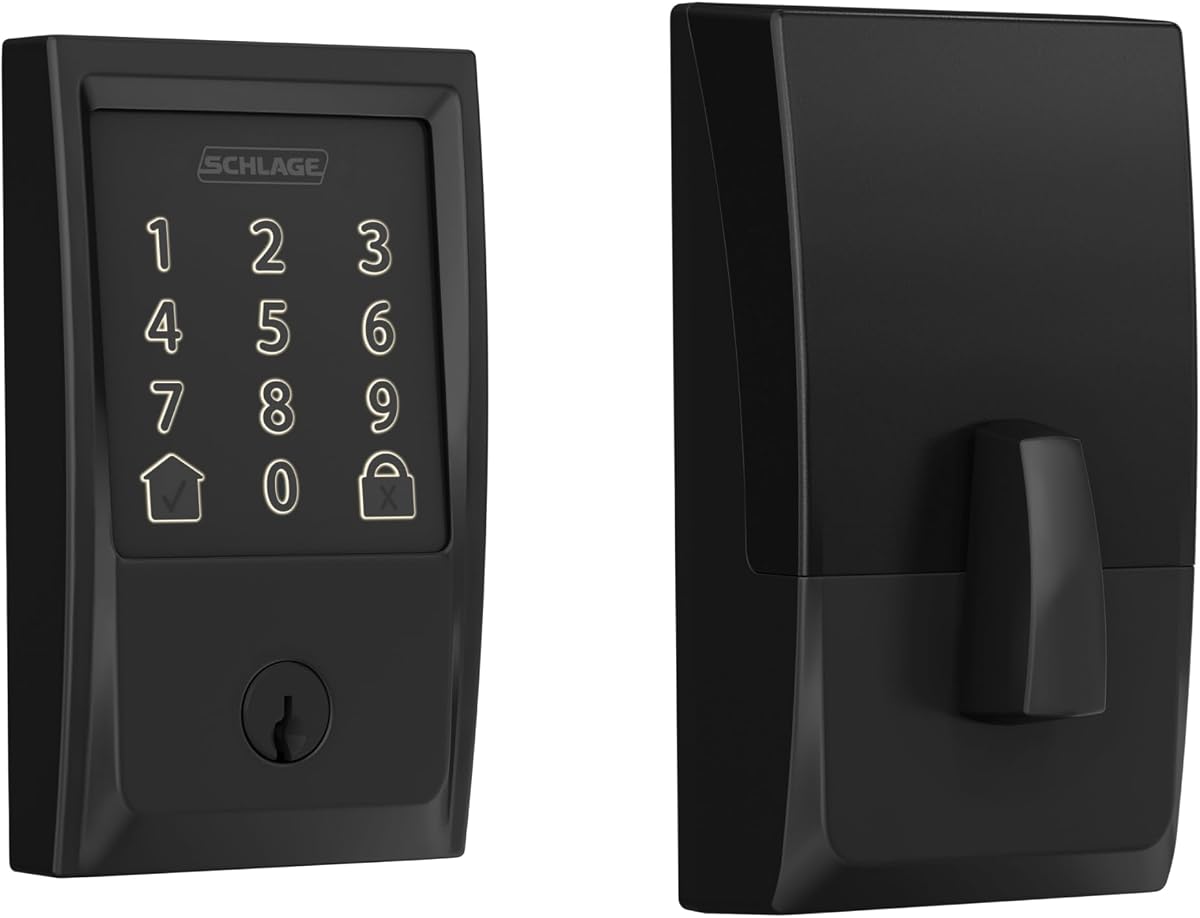
Schlage Encode Smart WiFi Deadbolt
4.2Editor score
Built-in WiFi and app access
Advanced forced-entry alarms
Four included AA batteries
Our digital door lock guide compares 10 leading keypad, fingerprint, WiFi, and app-controlled models to help you choose the most secure, practical option for
A digital door lock can replace loose keys, simplify access for family members, and give guests a convenient way to enter without waiting at the door. The best model depends on your door, network, security habits, and the balance between connected features and straightforward local operation.
We compared these 10 digital door locks using the supplied specifications, ratings, installation details, access methods, connectivity, battery guidance, and security features. The list covers WiFi deadbolts, app-connected handles, keypad-only locks, and fingerprint models for everything from simple self-managed access to integrated smart-home control.
Each review explains who the lock suits, what stands out, and where buyers should temper expectations. The selections reflect the available product information rather than personal testing, while ratings and specifications may change. Product availability, features, and prices also change, so verify the latest listing before purchasing.
4.2Editor score
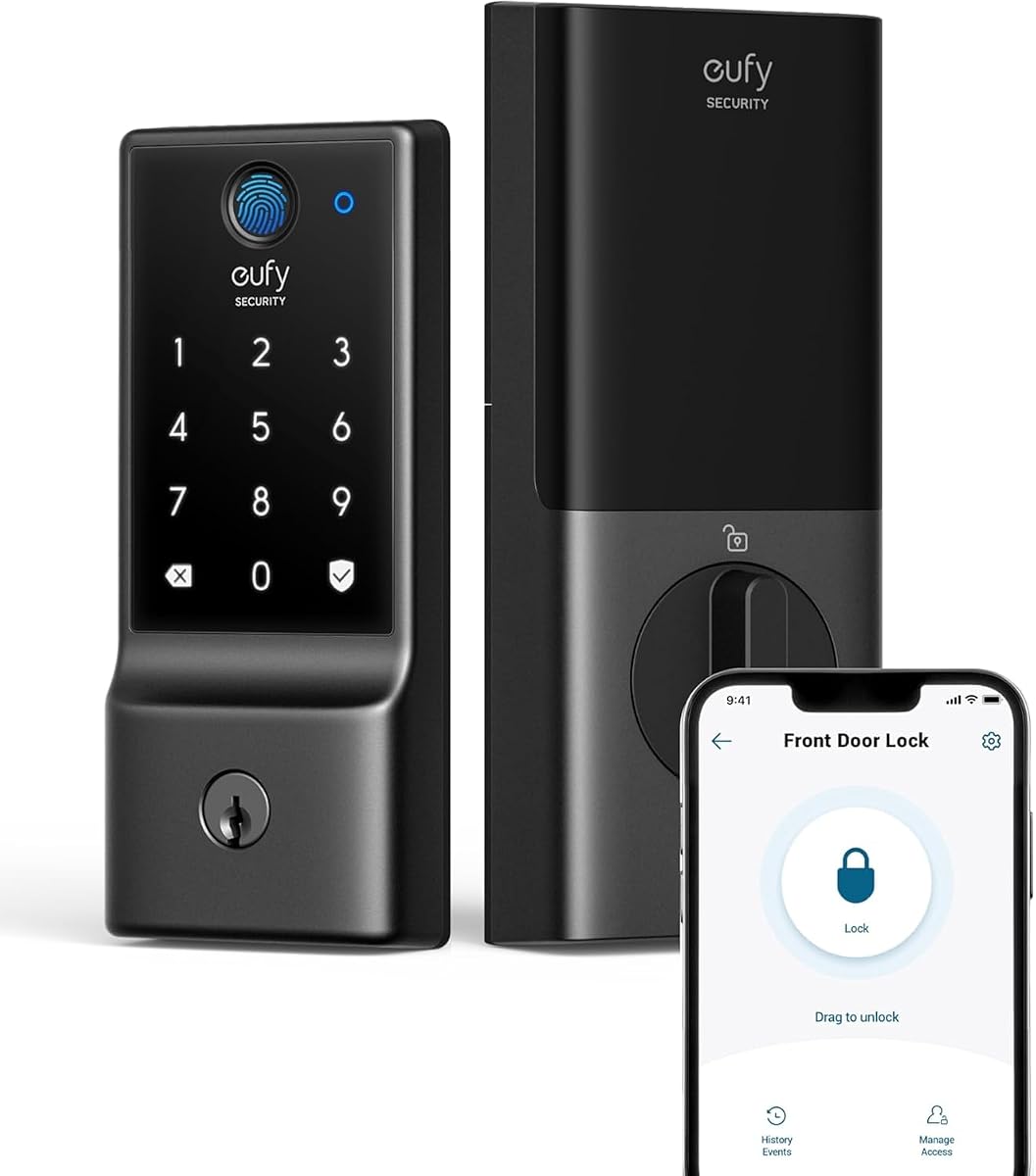
4.3Editor score
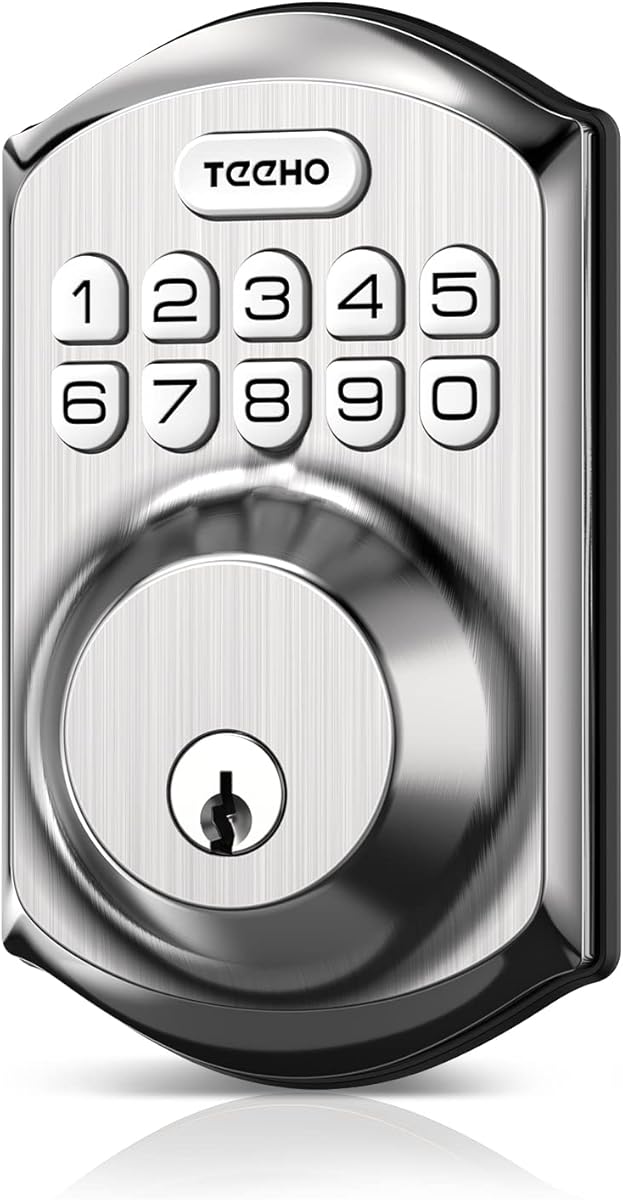
4.5Editor score
The comparison below highlights each lock's connection type, primary entry methods, power source, and defining capability. These distinctions make it easier to narrow the list according to your door, network, and preferred approach to access control.
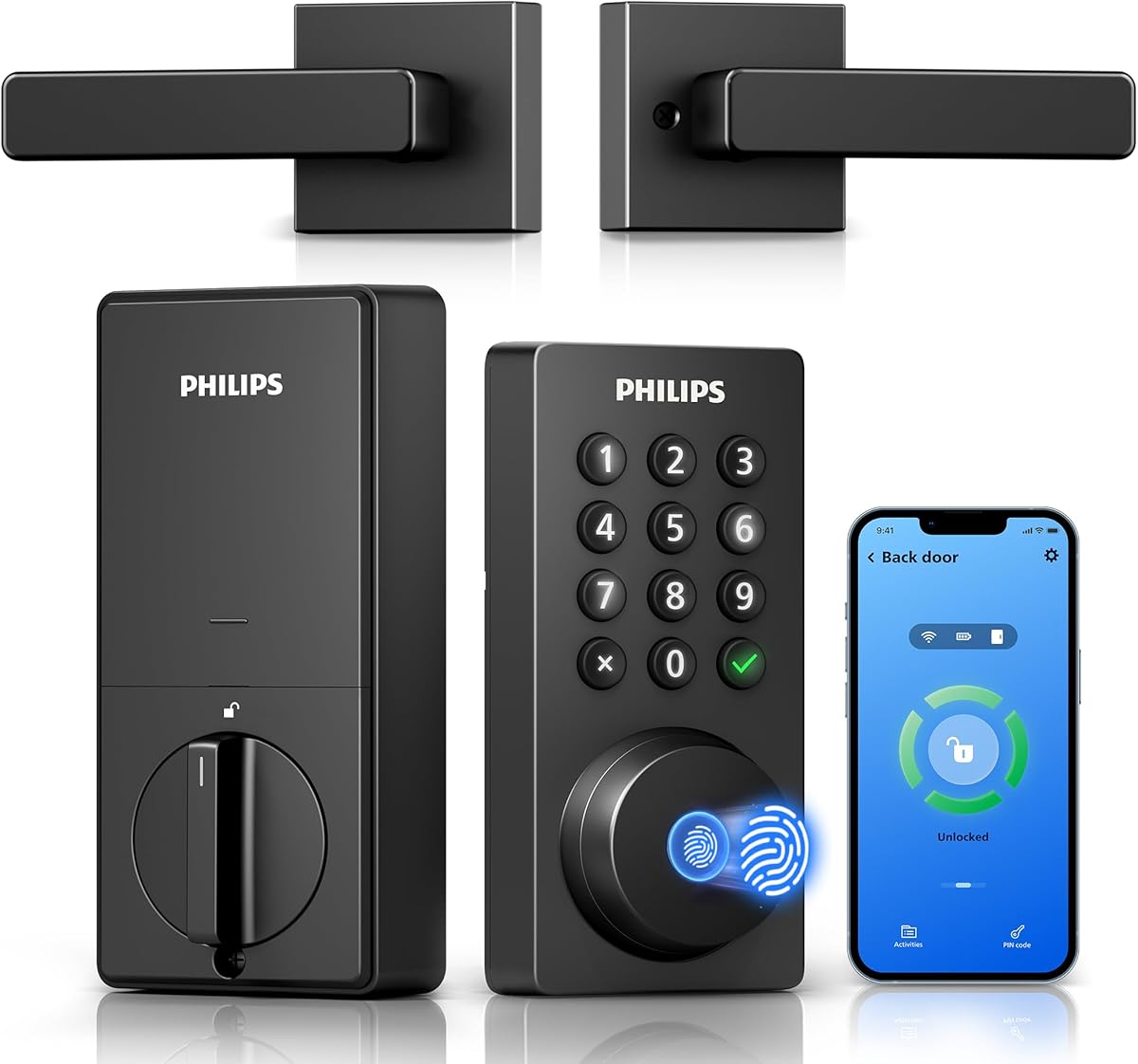


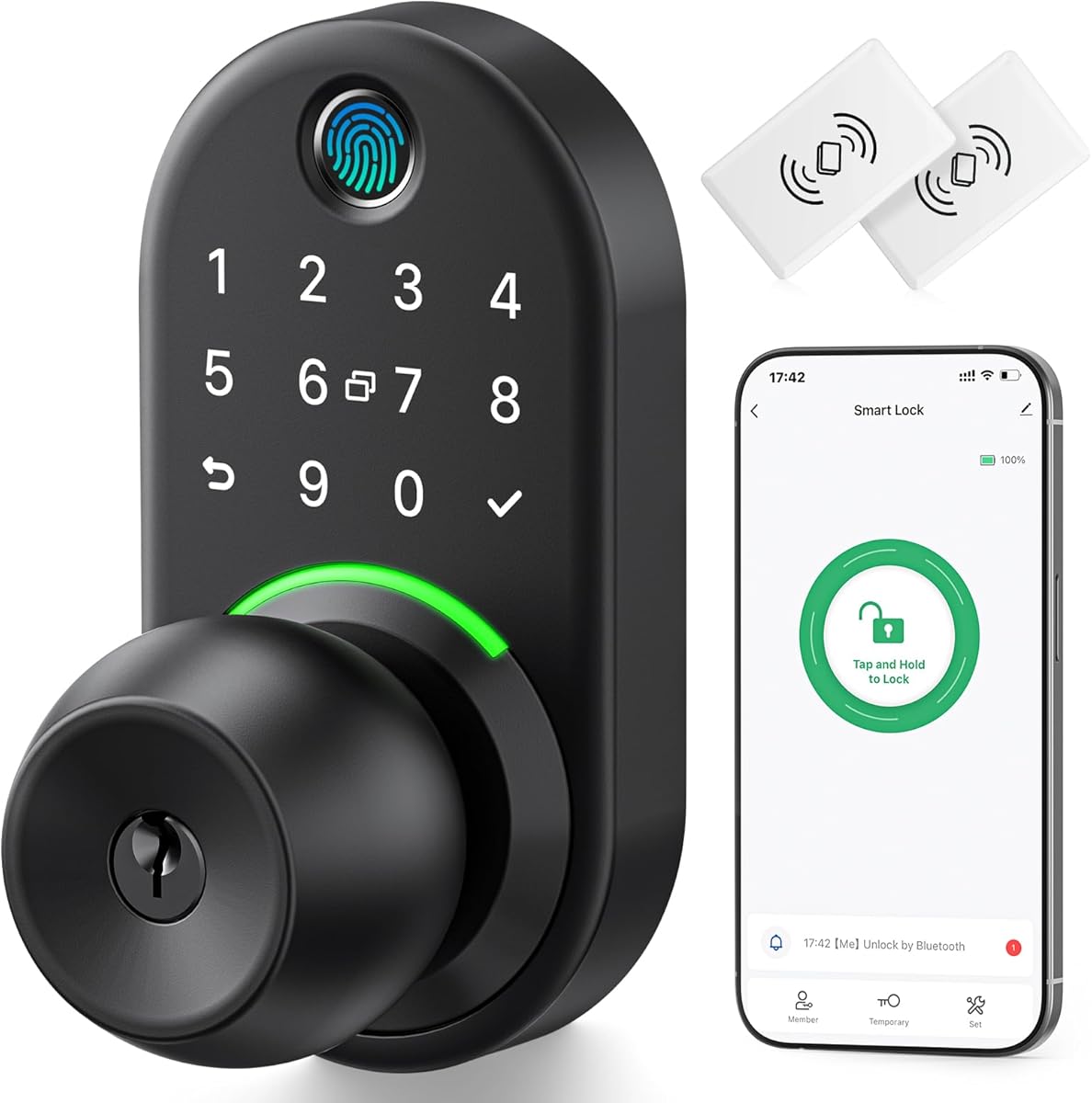


The Philips WiFi Keypad Deadbolt with Handle earns a 4.3 rating and stands out as a complete front-door upgrade rather than a bare deadbolt. It combines built-in WiFi, a keypad, fingerprint reader, app control, voice-assistant support, and a matching handle in one coordinated set. That combination makes it especially attractive to households replacing both hardware and access habits at once.
We may earn a commission when you buy through this link, at no additional cost to you.
Its access-management features are particularly thorough. Owners can create permanent, one-time, periodic, and recurring PINs through the Philips Home Access app, while also storing multiple trusted fingerprints. The app supports remote locking, status checks, and access-history monitoring, and a configurable auto-lock delay of zero to 180 seconds helps close the door after everyone enters. Voice commands through Alexa or Google Assistant add hands-free convenience.
There are some practical limitations. The lock connects only to 2.4GHz WiFi and should remain within 33 feet of the router for dependable performance, so walls and metal objects can affect the connection. Auto-lock is off by default, standard 1.5V alkaline batteries are required, and the product is designed for right-opening doors unless reset for a left-opening configuration. Buyers should also note that a door sensor is not listed for this model.
This is a strong choice for a new installation where a coordinated handle and electronic deadbolt are both wanted. It suits families, short-term rental hosts, and users who want remote control without buying a separate hub. Choose it when WiFi convenience, several credential types, and a matching handle outweigh the need for a simple standalone keypad.
Permanent, one-time, periodic, and recurring PINs cover family members, visitors, cleaners, and rental use without making everyone carry a physical key. The app also supports fingerprint management, keeping credential changes centralized and easy to audit.
The included matching handle removes the need to source separate visible hardware. Buyers replacing a front door system can coordinate the lock and handle, while the reversible instruction guidance helps accommodate either door-handling direction after installation.
We may earn a commission when you buy through this link, at no additional cost to you.
The Philips Wi-Fi Smart Deadbolt Lock has a 4.2 rating and delivers flexible entry through the app, passcode, fingerprint, physical key, or voice control. Built-in WiFi allows owners to lock or unlock the door remotely without a separate hub, making this a practical option for people who need access from work, travel, or elsewhere in the property.
We may earn a commission when you buy through this link, at no additional cost to you.
The lock supports up to 100 custom passcodes, including one-time and scheduled codes for guests, cleaners, and delivery personnel. Real-time notifications and access history help track openings and closings, while an Away Mode disables all unlock methods except the master code during longer absences. Auto-lock timing can be set from 10 to 180 seconds for convenient closure after entry.
The important trade-offs involve network compatibility and incomplete door-state awareness. Only 2.4GHz networks are supported, and the manufacturer recommends keeping the router and lock within 65 feet for better remote control. There is no door sensor, meaning the product cannot confirm from the supplied specifications whether the physical door itself remains open. AA alkaline batteries are recommended, and batteries are not included.
This model is well suited to families and landlords who want many programmable credentials without the need for another hub. It is less suitable for someone who requires a connected door-position sensor or operates a 5GHz-only network. Within those boundaries, it offers a broad mix of local and remote entry methods in a standard deadbolt format.
Built-in 2.4GHz WiFi removes the need for a dedicated bridge, simplifying the installation of connected access. Users can manage the lock through the app, provided the router is close enough and the network remains stable.
Away Mode offers a simple way to restrict access while the household is absent, and automatic relocking can be timed to suit the household's departure routine. These controls work together to reduce the chance of leaving the deadbolt open.
We may earn a commission when you buy through this link, at no additional cost to you.
The eufy Security Smart Lock C220 carries a 4.3 rating and offers one of the most balanced feature sets in the group. It supports fingerprint, app, keypad, physical key, Apple Watch, and Alexa or Google Voice Assistant entry. That variety lets each family member use the most convenient option without requiring everyone to adopt the same credential.
We may earn a commission when you buy through this link, at no additional cost to you.
Its built-in WiFi supports remote control through the eufy Security app without a bridge. The fingerprint system uses self-learning recognition intended to become more precise through repeated use, and unusual opening attempts can trigger an alarm. The lock is BHMA Grade 3 certified after extensive cycling and carries IP53 water protection, while its stated operating range extends from minus 22 to 158 degrees Fahrenheit.
The main caveat is that the advertised eight-month runtime depends on how often the lock is used. Eight AA batteries provide the stated power source, while Apple Watch and voice-assistant access depend on the compatible device, account, and connected ecosystem. It also fits most standard deadbolts and bores under 54 millimeters by removing the spacer, but door geometry should be checked before purchase.
The C220 is a strong all-rounder for households wanting fingerprint convenience, built-in remote access, and a traditional key fallback. It is particularly attractive to Apple Watch users and those already invested in eufy products, including compatible eufy doorbells. For people who prioritize broad entry options, straightforward WiFi setup, and certification without moving to a separate bridge, it is a convincing recommendation.
A fingerprint reader serves frequent family members, while the keypad, app, key, watch, and voice options accommodate visitors, children, or anyone who prefers not to register a fingerprint. This flexibility makes everyday household use less dependent on one credential type.
The stated IP53 water protection, wide temperature range, and BHMA Grade 3 certification provide useful reassurance for an exterior door. The included alarm adds a practical deterrent and notification when the lock detects an unusual attempt to open it.
We may earn a commission when you buy through this link, at no additional cost to you.
The Schlage Encode Smart WiFi Deadbolt with Century Trim has a 4.2 rating and presents a refined, security-focused alternative to the more aggressively connected models in this roundup. Built-in WiFi, an encrypted connection, a fingerprint-resistant touchscreen, and a customizable door-movement alarm make it especially relevant to owners who place security controls ahead of budget flexibility.
We may earn a commission when you buy through this link, at no additional cost to you.
The Schlage Home app supports remote operation, access history, customizable notifications, management of up to 100 access codes, and control of multiple locks from one place. Voice control is available through Alexa and Google Home when the app and compatible voice-enabled device are set up. Auto-lock includes several delay choices and can also be disabled, while a physical backup key provides an offline entry option.
This premium deadbolt still has boundaries worth understanding. It is battery operated rather than hardwired, and the stated six-month life reflects typical use rather than an unconditional guarantee. The supplied data identifies a highest residential BHMA security, durability, and finish rating, but it does not provide detailed independent laboratory results. Buyers must also confirm the stated door-thickness and backset dimensions before buying.
Installation is designed to be manageable with a screwdriver and no hardwiring. The Snap 'n Stay design helps keep the lock aligned on the door while both hands remain free, and the included trim creates a coordinated finish. This model is best for a security-conscious household willing to invest in a higher-tier lock and wants mature app features, broad code support, and a conventional physical key as a backup.
The lock includes an alarm for door movement and forced-entry attempts, along with a fingerprint-resistant touchscreen and encrypted connection. These details distinguish it from locks focused primarily on convenient code entry.
Auto-lock can use one of several delay periods or be turned off completely. One-touch exterior locking adds a simple final step for users who prefer not to wait for the configured automatic delay.
We may earn a commission when you buy through this link, at no additional cost to you.
The Yamiry Smart Door Handle Lock has a 4.3 rating and combines the appearance of a conventional lever handle with a substantial selection of electronic entry methods. Fingerprint recognition, Bluetooth app control, personalized passcodes, key fobs, mechanical keys, and Alexa-related voice operation give users six ways to enter without relying on one method.
We may earn a commission when you buy through this link, at no additional cost to you.
The handle format is a meaningful alternative to a traditional keypad deadbolt, especially for households that prefer a single coordinated front-door pull. Installation is described as taking about 10 minutes on most standard American wooden front doors, with a screwdriver replacing the existing handle, knob, or deadbolt. A reversible handle supports both left- and right-handed doors.
Remote access has a significant condition: the WiFi gateway is sold separately. Bluetooth proximity controls support the app experience, but users who need internet-based locking from outside the home must budget for the extra gateway and confirm compatibility. The supplied data also presents a large-property access-management workflow, though practical performance can depend on the number of locks and the quality of the network.
This lock makes the most sense for landlords, Airbnb hosts, property managers, or homeowners who want a modern handle rather than a deadbolt. Its reversible design and direct replacement approach simplify installation. It is less compelling for someone seeking built-in WiFi with no additional hardware, but the local app, temporary-code, fingerprint, fob, key, and voice options provide considerable flexibility once the intended setup is understood.
The combination of fingerprint, app, PIN, fob, mechanical key, and voice options means the lock can accommodate frequent residents and temporary visitors without forcing everyone to use the same method. Mechanical-key access also supplies a useful fallback.
Replacing the existing handle, knob, or deadbolt with a screwdriver keeps the project manageable for standard wooden doors. The reversible handle reduces the need to source separate left- and right-handed versions.
We may earn a commission when you buy through this link, at no additional cost to you.
The TEEHO TE001 Keyless Entry Deadbolt holds a 4.5 rating, the highest listed rating in this group, and delivers a focused keypad experience without the complexity of a connected lock. It supports 20 access codes for regular users and a temporary single-use code for guests, making it a practical choice for families and small rental properties.
We may earn a commission when you buy through this link, at no additional cost to you.
Automatic locking can be configured from 10 to 99 seconds, although the feature is off by default. Users can also hold any keypad key for two seconds to trigger one-touch locking. A red indicator appears when battery level falls below 15%, and the lock uses four AA batteries that are not included. Its aluminum-alloy construction, IP54 rating, anti-peeping code protection, and solid cylinder form a sensible security package.
The main drawback is the absence of app and remote control, which may frustrate users who want internet-based access or detailed cloud history. Installation is also more restrictive than several competing models because the lock fits a 2-1/8-inch, or 54mm, bore and is not compatible with a 38mm hole. Owners should reset the unit before first use so it can detect the door direction.
The TE001 is best for buyers who want dependable local keyless entry and do not need a connected ecosystem. It offers useful code flexibility, long advertised battery life, weather resistance, and a two-year warranty without introducing subscriptions or network setup. For apartments, side doors, and straightforward household access, its simplicity is a meaningful advantage.
The temporary guest code can be used once and then automatically deleted, reducing the need to retrieve or copy a physical key. Regular users can retain up to 20 separately programmable access codes.
A configurable auto-lock delay and two-second one-touch locking make it easier to secure the door on departure. The low-battery warning gives owners time to replace power before the lock becomes inconvenient.
We may earn a commission when you buy through this link, at no additional cost to you.
The Yamiry Keypad Smart Door Knob Lock has a 4.4 rating and focuses on uncomplicated local access. Its backlit keypad accepts programmable four-to-eight-digit codes, supports as many as 20 family credentials, and includes a one-time guest option. A physical key adds a conventional fallback for anyone who does not want to use a PIN.
We may earn a commission when you buy through this link, at no additional cost to you.
The lock's aluminum-alloy construction, anti-prying user code, low-battery indicator, and IP54 weather resistance make it suitable for an ordinary exterior door. Auto-lock can be adjusted from five to 99 seconds, giving owners a short but flexible delay after the door closes. Installation is described as taking less than 15 minutes with a screwdriver.
Compared with the app-connected products in this guide, this model lacks remote control, digital access logs, and smart-home integration. That is a limitation for landlords and frequent travelers, although it also removes setup complexity and dependence on a phone or network. Auto-lock can also be disabled, which may be useful in some households but requires discipline to avoid leaving the door unsecured.
This knob is a good fit for anyone seeking a simple keypad handle for a secondary entrance, apartment, or standard front door without fingerprint hardware or connected features. It offers more code capacity than many basic locks and supports variable PIN lengths. The included service coverage includes a one-year product warranty and lifetime after-sales support.
Users can program short or longer PINs according to personal preference, with 20 total codes available for regular users. A guest code and duplicateable key provide alternatives for visitors and backup access.
The aluminum-alloy body, anti-prying code feature, and IP54 rating suit exposed doors that may encounter rain and changing weather. Low-battery indication helps keep the lock ready for daily use.
We may earn a commission when you buy through this link, at no additional cost to you.
The Yamiry Fingerprint Keyless Entry Handle Lock has a 4.3 rating and adds fingerprint recognition and app programming to the familiar door-knob format. It can be opened through the app, password, key fob, fingerprint, or physical key, giving users five entry paths while preserving a familiar handle design.
We may earn a commission when you buy through this link, at no additional cost to you.
Bluetooth connectivity lets owners program the lock through a simple app, which can store up to 50 passwords, fingerprints, and key fobs according to the supplied description. Locking is available through auto-lock, an app command, or a long press of the keypad's square-root button. The aluminum construction is described as high-hardness and corrosion resistant.
Remote control beyond Bluetooth range requires a separately sold WiFi gateway. That requirement makes the purchase decision more involved than buying a built-in WiFi deadbolt. The stated 50-credential limit covers the listed credential types, so buyers who expect large numbers of separate passcodes, fingerprints, and fobs should assess whether that capacity fits their household or property.
This model is most useful for someone who wants a modern handle with fingerprint entry but only occasionally needs internet-based control. It is compatible with most American standard doors and installs with a screwdriver, which makes it a practical handle replacement. The service package includes a one-year product coverage and lifetime after-sales support.
Recognizing a registered fingerprint removes the need to enter a code when hands are occupied. The key-fob and physical-key options create additional fallbacks for residents and visitors.
Auto-lock, app-based locking, and the dedicated long-press control provide multiple ways to finish securing the door. Each option can suit different household routines, from hands-free departure to direct control through the app.
We may earn a commission when you buy through this link, at no additional cost to you.
The Veise VE017 Fingerprint Smart Door Lock has a 4.3 rating and offers an unusually deep set of access and security tools for a Bluetooth-connected model. It supports fingerprint, app access, authorized users, fob cards, PIN entry, shared codes, voice control with a gateway, and a mechanical key. Its app can also administer different permission levels for multi-tenant properties.
We may earn a commission when you buy through this link, at no additional cost to you.
The fingerprint system claims verification in under 0.2 seconds at 99.99% accuracy, using an on-device AI chip and self-learning recognition. Four password modes cover one-time, duration-based, permanent, and recurring access. An anti-peeping privacy code allows extra digits before or after the true sequence, while intrusion defense can issue alarms and temporary lockouts after unauthorized attempts.
On-device AES128 encryption stores access records, credentials, and fingerprints locally, an important distinction for buyers concerned about cloud exposure. The lock also offers Away Mode, Silent Mode, event alerts, and activity logs. Remote control, real-time logs, status monitoring, and Alexa or Google voice functions require the separately sold Veise G1 gateway. The stated battery endurance is about 12 months, but actual use varies.
This is a compelling option for landlords, short-term rental hosts, and privacy-conscious households that want a rich local ecosystem. Installation is described as a 15-minute screwdriver project with automatic door-direction detection and support for two common bore sizes. It is a strong choice if the extra gateway is acceptable and you value local encryption, flexible code sharing, and detailed access management.
The app can add, rename, delete, pause, and revise user permissions, making the lock suitable for properties occupied by several households or regular visitors. Activity logs provide a clear record of who entered and when.
Access records, credentials, and fingerprint data are described as locally AES128 encrypted on the lock. This approach may appeal to buyers who want advanced administration without relying entirely on remote cloud storage.
We may earn a commission when you buy through this link, at no additional cost to you.
The Veise VE027-K WiFi Smart Deadbolt Locks with 2 Knobs Set has a 4.5 rating and combines a connected deadbolt with two matching interior knobs. That complete package appeals to households replacing a front-door hardware set, particularly when both a smart deadbolt and coordinated inside hardware are needed.
We may earn a commission when you buy through this link, at no additional cost to you.
Built-in 2.4GHz WiFi provides hub-free control through the app, including lock status, battery monitoring, activity logs, user management, and security alerts. Eight entry methods are listed: remote app, fingerprint, IC card, PIN, physical key, voice, user authorization, and code sharing. The app can create permanent, scheduled, one-time, and expiring digital keys while storing up to 100 custom passcodes and unlimited one-time passwords.
The fingerprint system uses a 608DPI sensor and self-learning technology, with a stated 0.2-second recognition time and 99.99% accuracy, and stores up to 20 fingerprints. Eight AA batteries power the lock, with an advertised use period of up to 240 days. The IP65 weatherproof rating and BHMA/ANSI Grade 3 construction support outdoor use, although actual battery life depends on activity and environmental conditions.
Installation is described as a 10-to-15-minute screwdriver project for standard US doors between 1-3/8 and 2 inches thick. The system identifies left- or right-hand swing automatically, reducing setup complexity. This model is ideal for buyers who want built-in WiFi, fast fingerprint entry, extensive code types, voice support, and a complete knob set in one coordinated purchase.
The two included knobs remove the need to match separate interior hardware. The coordinated satin-nickel set is convenient for new installations, replacements, or a planned whole-door upgrade.
Four password categories cover permanent, scheduled, one-time, and expiring access, while the app can revoke credentials and maintain access logs. This makes the lock adaptable to family members, helpers, and temporary visitors.
We may earn a commission when you buy through this link, at no additional cost to you.
The right digital door lock depends on more than its keypad. Start with the access methods you need, then check door compatibility, network requirements, battery design, installation difficulty, and the security controls that matter to your household.
Start by listing how people will actually enter. Keypad-only models are straightforward and dependable, fingerprint readers are convenient for frequent residents, and app-connected locks are valuable when remote changes and access records are priorities. Some options also accept physical keys, fobs, IC cards, Apple Watch, or voice commands. More methods can make a lock more versatile, but each added system may also introduce setup, compatibility, and security considerations.
Connected locks fall into two broad categories. Models with built-in 2.4GHz WiFi can usually connect directly to a compatible router, while Bluetooth-only or gateway-based models may need a separate accessory for internet access. Check the router band, wireless range, walls between the router and door, and whether the household has reliable internet. Voice control may also depend on a particular assistant, app, account, and compatible device.
Digital locks are not universally interchangeable with existing hardware. Measure door thickness, the diameter of the bore, the backset, the distance from the door edge to the spindle, and the physical clearance for the interior handle. The listed products support different combinations, including 38mm, 54mm, and slightly wider bores. Also check whether the door opens inward or outward and whether the existing deadbolt or handle can be replaced without drilling.
Battery estimates vary significantly with lock frequency, weather, and feature use, so treat published figures as targets rather than guarantees. Some products use four AA batteries, while others use eight. Check whether batteries are included, whether the manufacturer specifies alkaline chemistry, and whether rechargeables or lithium packs are supported. A low-battery warning and a mechanical key or emergency power option can make a long-lasting battery less critical.
A keypad alone does not define a lock's security. Look for encrypted communications, local credential storage, anti-peeping codes, forced-entry alarms, fingerprint-resistant surfaces, and physical construction suited to exterior use. Certifications such as BHMA or ANSI grades can provide additional context, while IP ratings indicate resistance to water and dust. A solid cylinder, mechanical key fallback, and auto-lock behavior are also worth considering.
Most models can be installed with a screwdriver and claim setup in roughly 10 to 15 minutes, but the required process differs. Some reset themselves to detect left- or right-hand doors, while others require a reset or configuration after installation. Follow the manual and installation video, route cables correctly, avoid overtightening screws, and keep the door aligned with the frame. A professional may be wise for unusual doors, antique hardware, or complex strike plates.
Families may value one-touch locking, quiet operation, and easy fingerprint enrollment, while landlords and short-term rental hosts often prioritize scheduled codes, expiring credentials, and access histories. Multi-property managers should look for multi-tenant permissions, grouped user management, and the ability to revoke access remotely. Self-hosted or privacy-conscious users may give more weight to local encrypted storage and Bluetooth operation.
Connected features can become less useful during a power, network, or server outage. Check for a physical key cylinder, duplicateable emergency key, low-battery warning, USB emergency port, or other local override. A keypad that continues working without internet is valuable even when remote control is unavailable. Test the backup method after installation so household members know how to use it before they need it.
Begin by installing the lock according to the manufacturer's instructions, confirming that the door swings correctly, the latch enters the strike plate without force, and all screws are snug without being overtightened. Reset or configure the handing direction before adding credentials. Then pair the app if the model is connected, update its software, set the correct date and time, and test every local entry method before relying on remote functions.
Create a clear access hierarchy. Use permanent credentials for household members, scheduled or expiring codes for regular visitors, and one-time codes for deliveries or temporary guests. Rename each user so the activity log remains understandable, remove access immediately when someone leaves, and avoid sharing a master PIN. If Away Mode or Silent Mode is provided, explain those settings to everyone and use them according to the household's actual routine.
For care, check the battery indicator regularly and follow the specified alkaline-battery guidance. Keep the keypad and fingerprint sensor clean with a dry or lightly damp cloth, and avoid abrasive cleaners or excessive moisture. Test the physical key, auto-lock delay, low-battery warning, and backup power method every few months. If the lock begins to bind or recognize fingers inconsistently, power it down as directed, clean the sensor, and consult support rather than forcing the mechanism.
It depends on the model. The Philips, eufy, Schlage, and Veise VE027-K options listed here use built-in WiFi and do not require a separate bridge. The Yamiry handle and fingerprint-knob products can operate through Bluetooth, but their remote internet control requires a separately sold WiFi gateway. The Veise VE017 similarly requires its G1 gateway for remote functions and voice control. Always check the listing and existing network before buying.
Most digital locks in this category are battery operated, so they can continue working when household electricity is out. The relevant outage would instead be a depleted battery set, a network disruption, or a service problem affecting connected features. Models with a mechanical key provide a local fallback, while some include low-battery warnings or emergency power options. Check for these features and test the backup method immediately after installation.
Neither method is automatically safer in every situation. Fingerprints can be convenient and difficult to share, while PINs may be easier to manage for short-term visitors. Fingerprint systems still require reliable sensor recognition, careful enrollment, and protection against unauthorized physical access. Keypad systems benefit from anti-peeping features and unique temporary codes. The best choice depends on your household, traffic, and security habits.
Capacity varies substantially by model. The TEEHO TE001 and Yamiry keypad knob list 20 codes, the Philips Wi-Fi deadbolt supports up to 100 custom codes, and the Veise VE027-K lists up to 100 custom passcodes plus unlimited one-time passwords. Some products support recurring or expiring access, which is especially useful for regular visitors. Check both the total credential limit and the number of codes that can remain active at once.
Most are designed for screwdriver installation on standard doors, with stated installation times of roughly 10 to 15 minutes. However, bore diameter, door thickness, backset, swing direction, and existing hardware can complicate the process. Measure the door before buying, read the complete instructions, and watch the installation video. Unusual doors or uncertainty about wiring and alignment may warrant professional help.
Keypad-only models such as the TEEHO TE001 and Yamiry keypad knob can be used without a phone, and most connected models retain local PIN, fingerprint, or physical-key entry. Smartphone apps are generally needed for remote control, credential sharing, logs, firmware management, and some settings. A voice assistant can also serve as a control option when the lock is properly connected, but it should remain a convenience rather than the only access method.
First confirm that the lock still opens with a PIN, fingerprint, or physical key. Check whether the router is operating on a compatible 2.4GHz network and whether walls or distance are weakening the signal. Restarting the router and following the manufacturer's lock-reset or re-pairing procedure may restore access. If remote functions fail but local entry works, treat the problem as a network or app issue and contact support before removing the lock from the door.
Replacement timing depends on the lock's battery specification, how often it is used, temperature, and whether it is connected to WiFi. Published estimates range from several months to about a year for many four-AA designs, while some eight-AA configurations claim longer use. Follow the exact battery chemistry instructions, monitor the warning indicator, and replace all batteries together when the manufacturer recommends doing so.
The eufy Security Smart Lock C220 stands out as the most balanced connected option, offering six entry methods, built-in WiFi, self-learning fingerprint recognition, and a Grade 3 certification. The Schlage Encode Smart WiFi is the premium choice for households prioritizing advanced alarms, encrypted connectivity, and a refined app experience, while the TEEHO TE001 delivers the best focused keypad experience without connected complexity.
Your next step should be to prioritize actual household needs rather than the largest feature list. Choose a local keypad model for simplicity, a Bluetooth or gateway system for selective remote management, or built-in WiFi when direct internet access is essential. Measure the door, check the network band, confirm battery requirements, and make sure every resident can use the physical backup method.
Finally, revisit the current listing before buying. Ratings, specifications, accessory requirements, supported networks, and availability can change, and so can product offerings. Comparing the latest details against the strengths and limitations in this guide will help ensure that the chosen digital door lock fits the door, the household, and the way access is actually managed.